Uniswap V4
Stagenets include built-in tooling for testing and analysing Uniswap V4 pools and hooks.
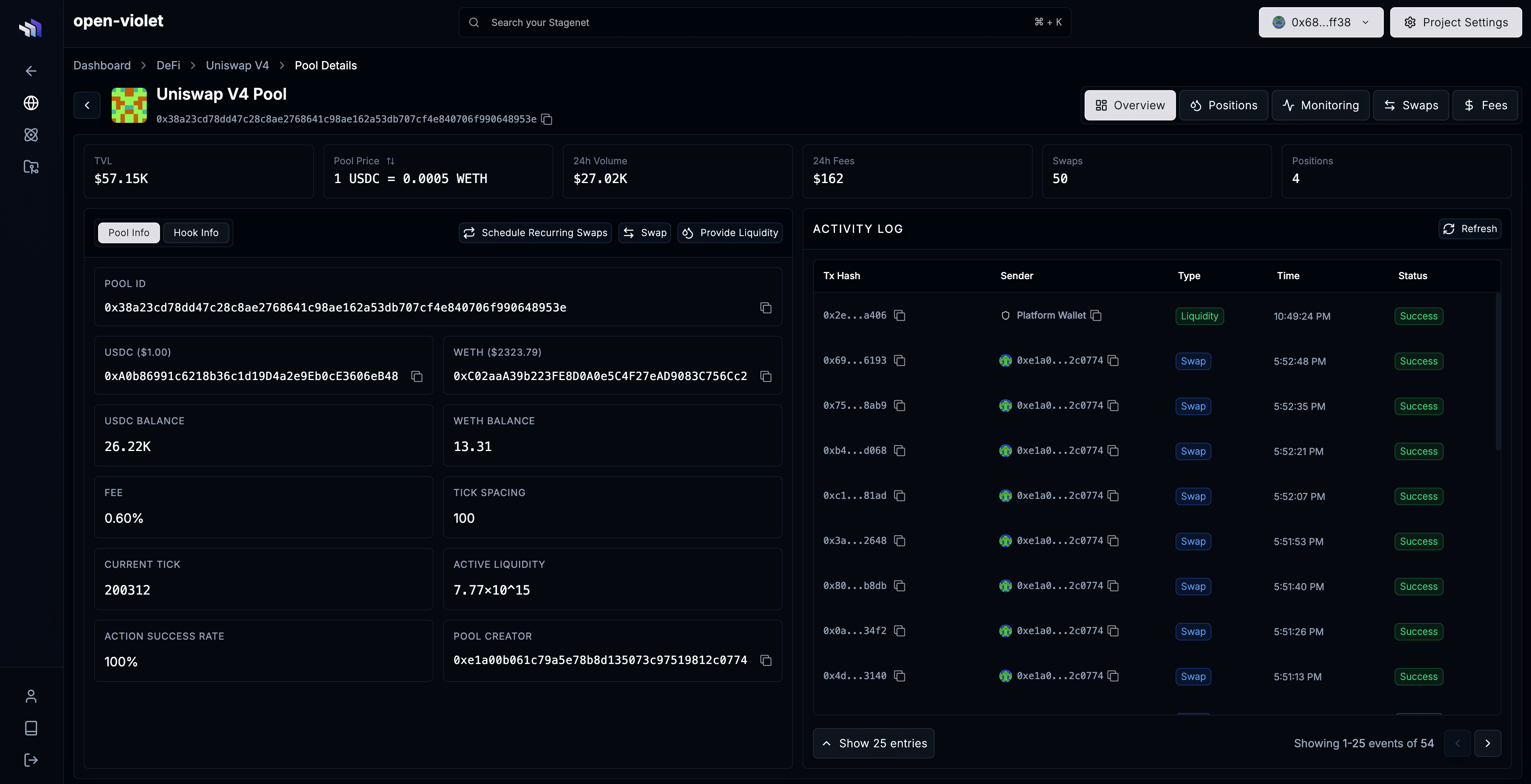
You get dedicated dashboards for the pools and hooks you create on your Stagenet.
How it works
To get a dashboard for your pool (and its hook):
- Create a pool on your Stagenet by sending it a transaction that calls
PoolManager.initialize - Open DeFi → Uniswap V4 via the sidebar
What you can do
With your Stagenet’s Uniswap V4 integration, you can:
- Inspect pool price, liquidity, TVL, and other live pool metrics
- Swap against pools and provide liquidity
- View position details and fee earnings
- Visualise swap volume and accrued fees over time
- Schedule recurring swaps to simulate trading activity
- Track and graph key pool and hook data over time
Track target pool and hook data
You can track and graph pool and hook data in a pool dashboard’s Monitoring tab.
This includes:
- Pool price
- Active liquidity
- Hook token balances
- Any ERC20 or native token balance
- Any read-only function result
- Any storage variable
For example, you can deploy a hook, create a pool that uses it, run recurring swaps against the pool, and track how its liquidity, price, fees, and hook state evolve over time.
This functionality is powered by the Stagenet’s Monitoring System.
Typical workflow
A standard workflow when developing with Uniswap V4 on a Stagenet:
- Deploy your hook contract to the Stagenet
- Create a Uniswap v4 pool that uses it via
PoolManager.initialize - Add liquidity to the pool from the dashboard
- Track relevant pool and hook data
- Schedule recurring swaps to simulate usage
- Analyse how the pool and hook behave under sustained activity
This gives you a scoped environment for testing your Uniswap V4 integration with built-in observability and simulation tooling.