Create Workspaces with the CLI
Standard workflow
A typical workflow when developing with Workspaces:
- Link a GitHub repository containing your contracts to your Stagenet.
- Deploy those contracts to your Stagenet (e.g. via a Foundry script) to automatically create Workspaces.
- Create additional Workspaces for any wallets or third-party contracts your app interacts with.
- Track key application data (e.g. balances, yield, fees) in the Tracked Data section of relevant Workspaces.
You now have a dashboard for each building block of your EVM application, with activity, balances, state, and tracked metrics recorded over time.
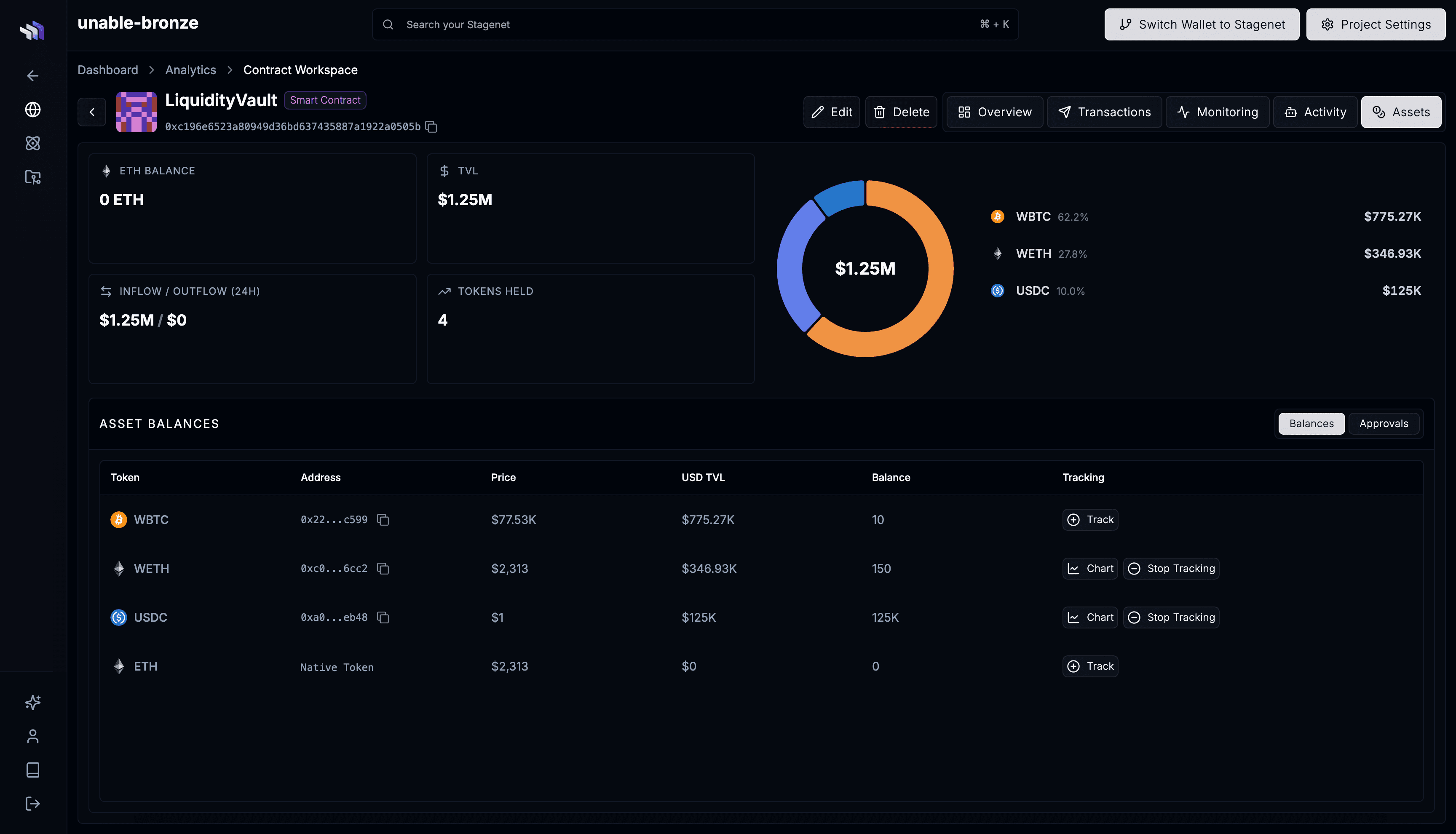
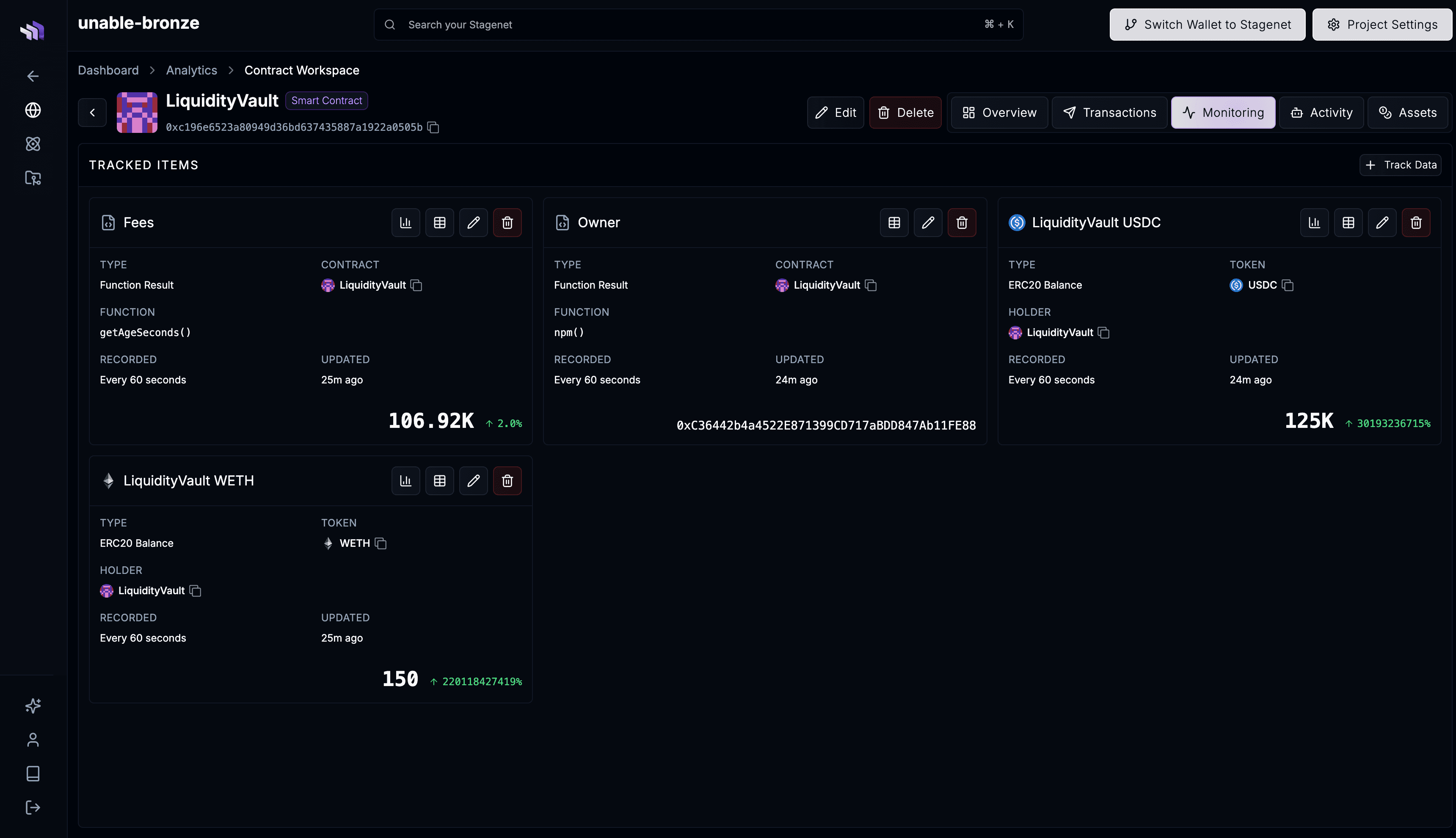
Push your project’s contracts and add Workspaces for individual wallets or third-party contracts — all from your terminal, without connecting a GitHub repository.
If your contracts are on GitHub and you want imports to happen automatically on every push, use GitHub CI/CD instead. The two paths can be combined — contracts pushed via the CLI appear alongside CI/CD-imported ones under the Imported Contracts tab.
Prerequisites
- A Stagenet — create one in the dashboard if you don’t have one yet
- The contract.dev CLI installed and configured at your project root:
npm install contract.dev
npx contract.dev init --rpc-url=<YOUR_STAGENET_RPC_URL>
See CLI setup for full installation details.
Push your project’s contracts
From a Hardhat or Foundry project, compile and push:
# Foundry
forge build

# Hardhat
npx hardhat compile

# Then, from either project type
npx contract.dev push-contracts
You’ll see something like:
Detected Hardhat project
Pushing 2 contract(s) to stagenet...

  Token  created
  Vault  created

Contracts: 2 created, 0 updated, 0 unchanged
Each contract becomes a pending Workspace. When a contract is deployed and its bytecode matches a pushed artifact, the Stagenet activates the matching Workspace automatically.
Re-run push-contracts after any contract changes — unchanged contracts are no-ops, changed contracts get a new version. See the push-contracts reference for source/artifact directory overrides and Hardhat configs that compute paths dynamically.
Add a Workspace for a wallet
Track an address with no on-chain code — for example, a deployer, a treasury, or a whale you want to monitor:
npx contract.dev workspace add 0x28C6c06298d514Db089934071355E5743bf21d60 \
  --name "Binance Hot Wallet"
The CLI detects that the address has no code and creates a wallet Workspace, showing native and ERC20 balances along with incoming and outgoing transactions.
Add a Workspace for a mainnet contract
For a contract that exists on the mainnet chain your Stagenet replicates, pass just the address:
npx contract.dev workspace add 0xA0b86991c6218b36c1d19D4a2e9Eb0cE3606eB48 \
  --name "USDC" \
  --type ERC20
The CLI recognises the on-chain bytecode and creates a mainnet-contract Workspace. The ABI is fetched from Etherscan on demand.
--type is a UI hint — pass ERC20 or ERC721 to enable token-specific views in the Workspace.
This is useful for tracking protocols your application depends on. If you’re building a vault on top of a Uniswap pool, create a Workspace for the pool itself so you can monitor its reserves and TVL alongside your vault.
Add a Workspace for a contract you deployed manually
If you deployed a contract outside push-contracts — for example via Remix or a custom script — the Stagenet won’t have an ABI for it. Pass the ABI explicitly:
npx contract.dev workspace add 0xYourVault \
  --name "MyVault" \
  --abi "$(jq -c .abi out/MyVault.sol/MyVault.json)"
This creates a manual Workspace with the deployment linked to the address you passed.
Scaffold a Workspace before deploy
You can also pre-create a Workspace from an ABI alone, before the contract exists on-chain:
npx contract.dev workspace add \
  --name "FutureVault" \
  --abi "$(jq -c .abi out/Vault.sol/Vault.json)"
The Workspace sits with bytecode 0x until you re-run the command with --address to link it to a deployment. Useful when you want a Workspace ready before the deploy transaction lands.
Next steps
- Track on-chain data — record balances, storage variables, and function outputs in each Workspace over time.
- Import contracts from GitHub — switch to automatic imports on every push once your project is on GitHub.
workspace addreference — full flag list and the SDK equivalent.