Workspaces
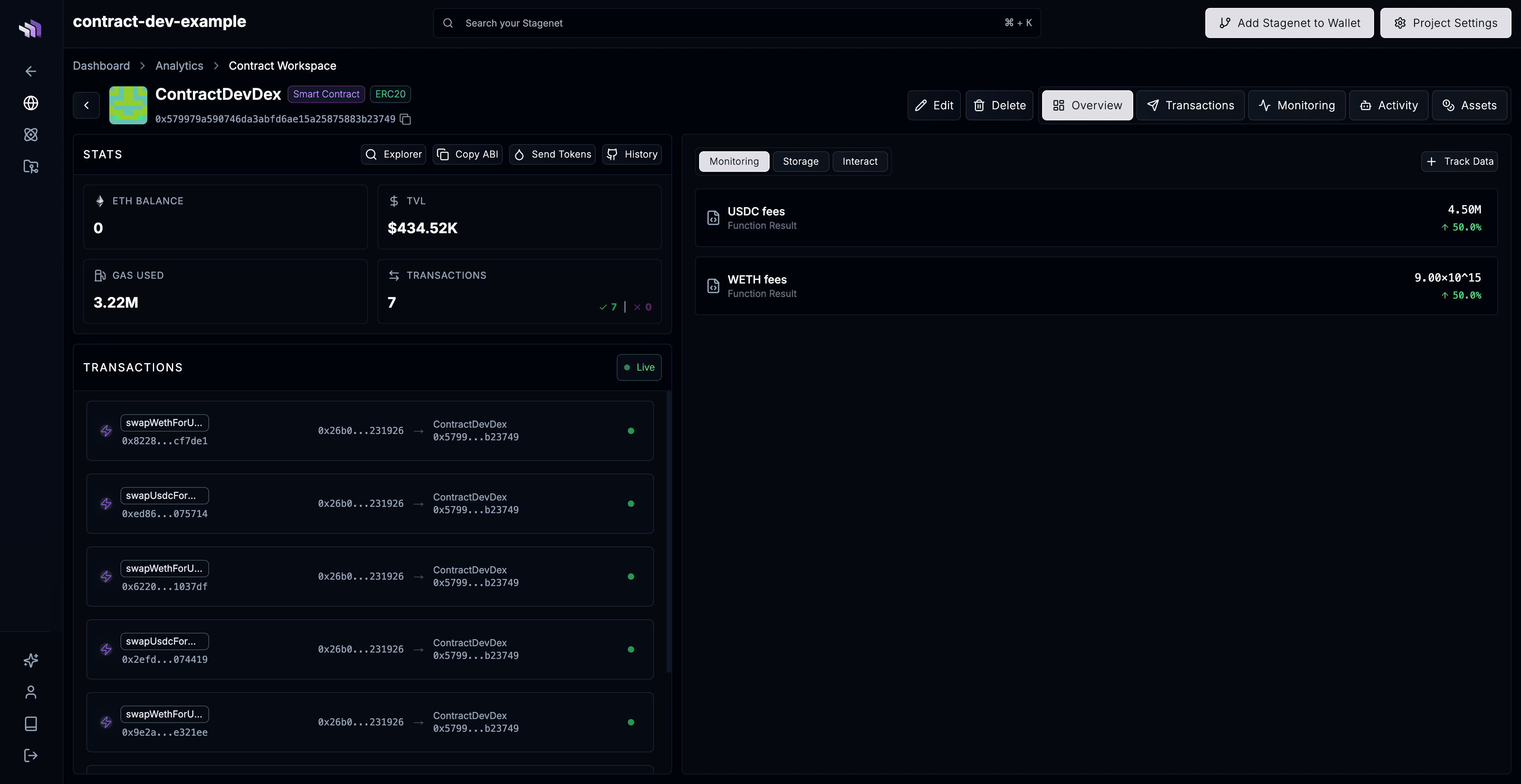
Workspaces are dedicated dashboards for individual contracts and wallets on your Stagenet.
They give you one place to inspect an address’s activity, assets, state, and data over time.
Within a Workspace, you can:
- View an address’s token balances and USD TVL
- Explore its transaction activity
- Inspect live storage variables for contracts
- Track and graph its token balances, state variables, and function outputs over time
- Schedule recurring transaction activity to or from it
When to create Workspaces
You should create a Workspace for each contract or wallet you want to analyse on your Stagenet.
For most apps, this means creating Workspaces for:
- Your own deployed contracts
- Important wallets, such as deployers, treasuries, or bots
- Tokens, pools, oracles, or protocols your contracts interact with
- Any address with state or activity you want to monitor over time
For example, if you are building a vault that provides liquidity to a Uniswap pool, create Workspaces for both the vault and the pool.
The vault Workspace lets you check your contract’s transactions and accounting. The pool’s lets you monitor the vault’s liquidity position and yield.
Creating Workspaces
Automatic Workspace creation
For contracts you deploy to your Stagenet, Workspaces are usually created automatically.
To achieve this:
- Import your contracts onto your Stagenet
- Deploy your contracts onto your Stagenet
When a new deployment matches one of the contracts you imported, the Stagenet automatically creates a Workspace for it.
There are two ways to import contracts:
- From your Hardhat or Foundry project directly with
npx contract.dev import-contracts - From GitHub using the Stagenet’s CI/CD system.
Manual Workspace creation
You can also create Workspaces manually for a contract or wallet at a specific address:
Do this:
- Via the Add Workspace button on the Analytics page
- From the CLI with
npx contract.dev workspace add
Manual Workspaces are useful for:
- Wallets, such as deployers, treasuries, and trading bots
- Third-party contracts, such as liquidity pools, oracles, and marketplaces