Import contracts from GitHub
Connect a GitHub repository to your Stagenet so its contracts are compiled on every push. Once a contract is imported, deploying a matching contract to your Stagenet automatically activates its Workspace.
This is the recommended setup for teams — every push from anyone gets picked up, and you never have to remember to re-import. For a one-off setup from your terminal without connecting GitHub, see Create Workspaces with the CLI.
Prerequisites
- A Hardhat or Foundry project on GitHub
- A Stagenet — create one in the dashboard if you don’t have one yet
- A deploy script or command to run against your Stagenet’s RPC URL
You do not need to change your contracts. The Stagenet reads your project’s standard compiled artifacts.
Install the GitHub App
Open your Stagenet’s Contracts dashboard from the sidebar, then click Install GitHub App.
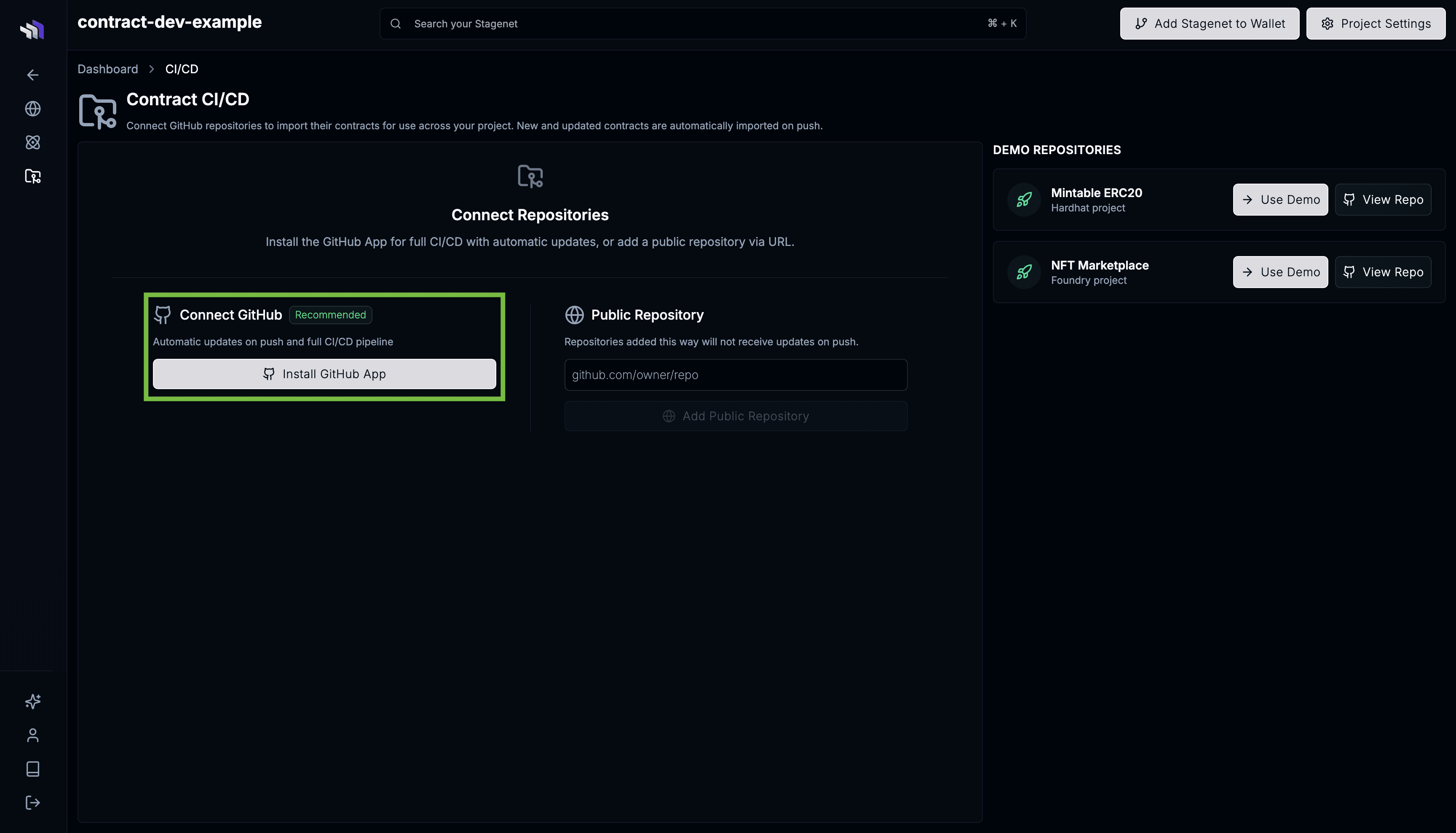
Follow the GitHub flow and grant the contract.dev GitHub App access to the repository containing your project.
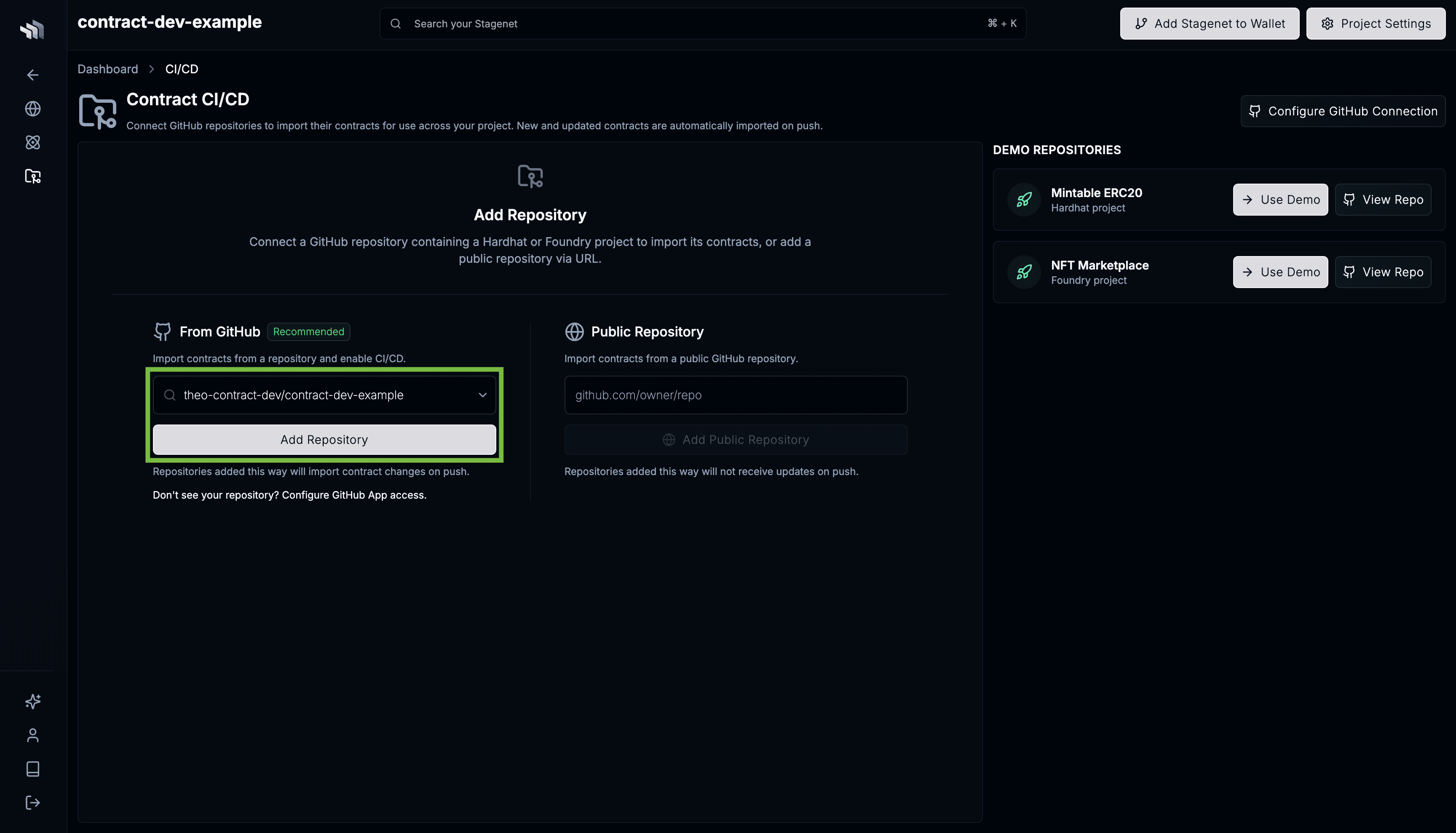
When you’re redirected back to the Contracts dashboard, select your repository from the dropdown and click Add Repository.
Confirm the Build Configuration
Next, confirm how the Stagenet should install dependencies and compile contracts.
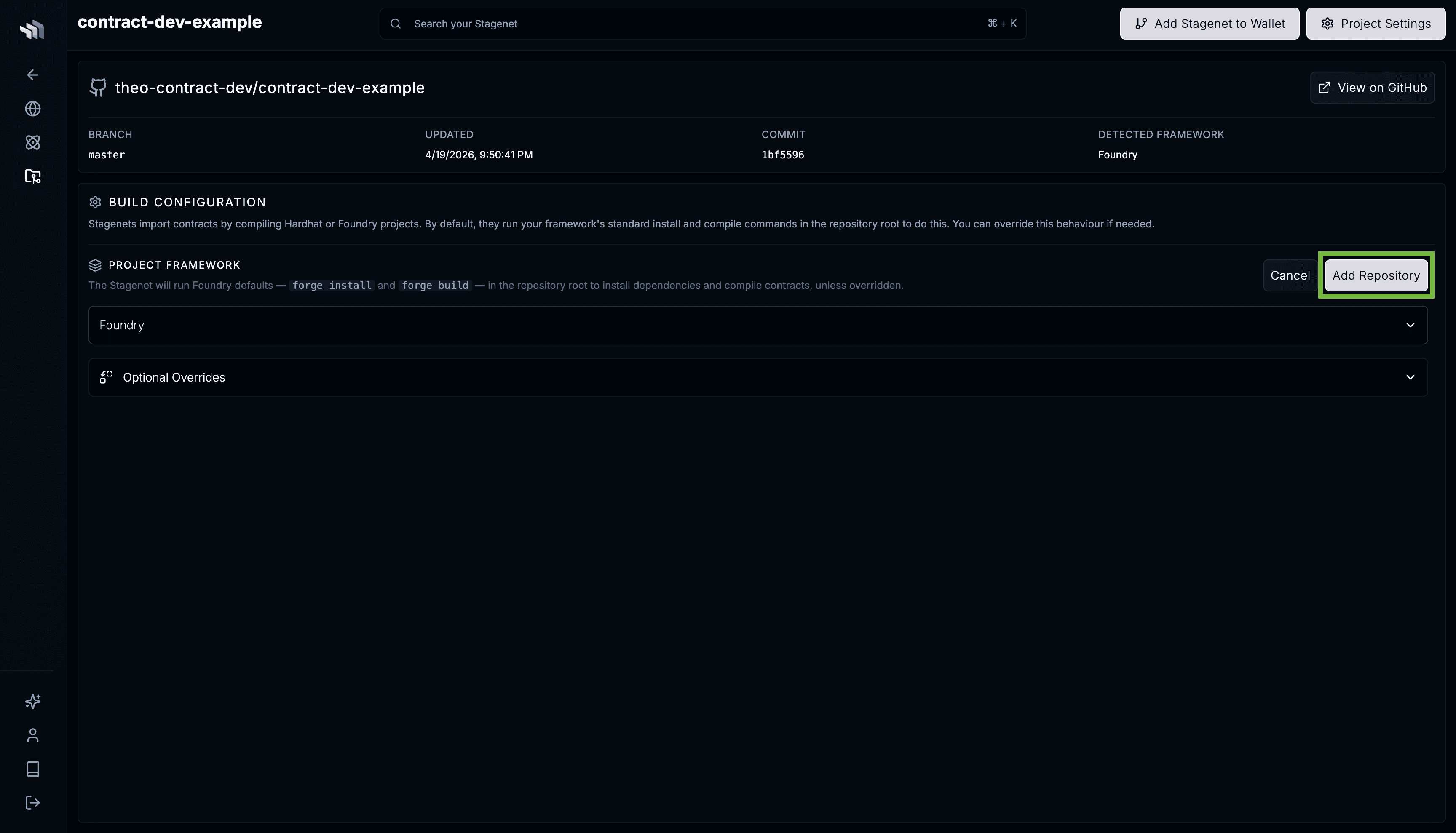
Standard Hardhat and Foundry projects work out of the box:
- Hardhat —
npm install+npx hardhat compile - Foundry —
forge install+forge build
If your project needs a custom install or compile command, env vars, or lives in a subdirectory of the repo, configure them here. See the Build Configuration reference for the full list of fields, and Working with monorepos if your contracts live under packages/contracts/ or similar.
Initial compilation
Saving the Build Configuration kicks off an initial compilation against the repository’s default branch.
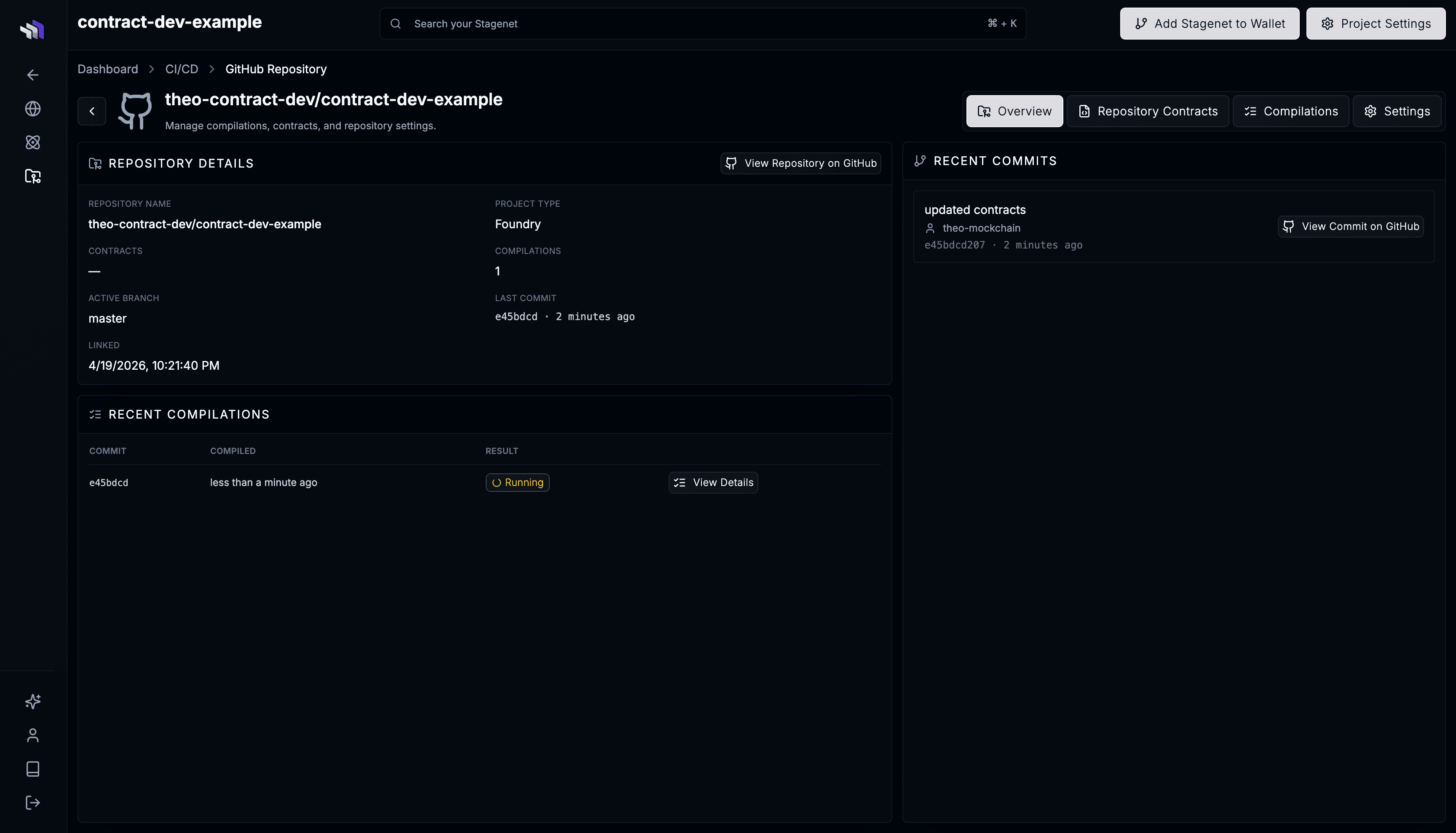
When it completes, your contracts appear in the Analytics dashboard as pending Workspaces. They activate the moment matching contracts are deployed to your Stagenet.
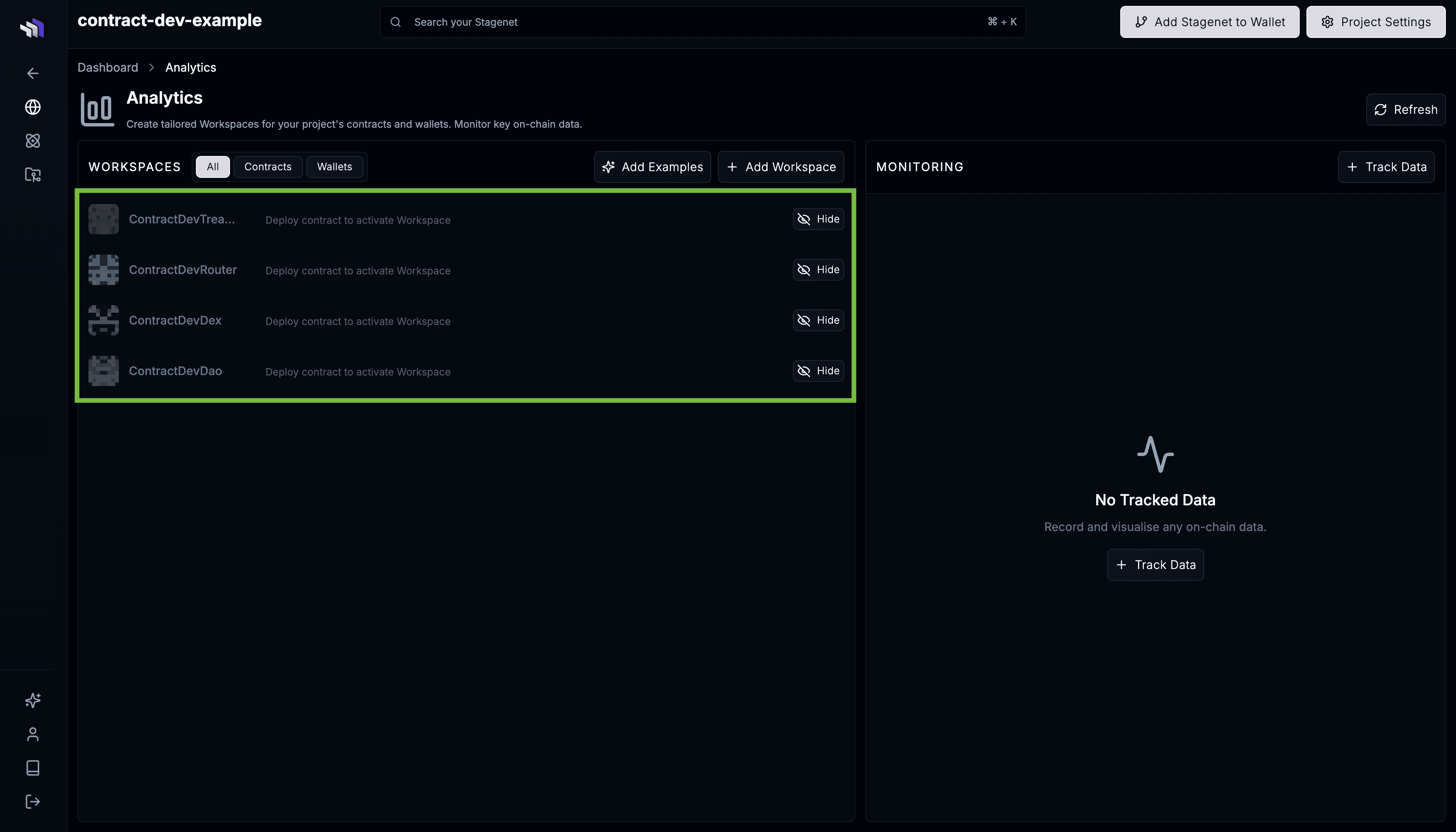
If the compilation fails, the captured logs are on the compilation page — see Debugging a failed build for common causes.
Deploy to your Stagenet
Deploy your contracts using your existing workflow, pointed at your Stagenet’s RPC URL. When a deployed contract’s bytecode matches one imported from GitHub, the Stagenet activates its Workspace automatically.
Framework-specific guides:
Use the Wallet Generator for a funded deployer wallet, or the Faucet to fund an existing address.
Iterating
Every push to the connected branch triggers a fresh compilation. The Stagenet versions each imported contract by bytecode:
- A whitespace- or comment-only change produces an
unchangedresult and no new version. - A logic change produces a new version, appended to the existing Imported Contract.
Workspaces already activated keep using the version they were deployed from, even when newer versions are imported — see Imported Contracts for the full versioning model.
You can also connect multiple repositories to one Stagenet — useful when your protocol is split across core/periphery repos, or when you want to recognise contracts from a third-party repo. See Multiple repositories under one Stagenet.
Next steps
- Workspaces — inspect each deployed contract in its own dashboard.
- Track on-chain data — record balances, storage variables, and function outputs as they evolve.
- Create Workspaces with the CLI — add Workspaces for wallets or third-party contracts that aren’t in your repo.