Fund test wallets
You can set or top up native and ERC20 balances for any address on your Stagenet.
You can do this in a number of ways:
- Via the UI with your Stagenet’s built-in Faucet
- From the command line with the contract.dev CLI
- In scripts with the contract.dev SDK
Faucet
Open the Faucet via Stagenet → Tools → Faucet in the sidebar.
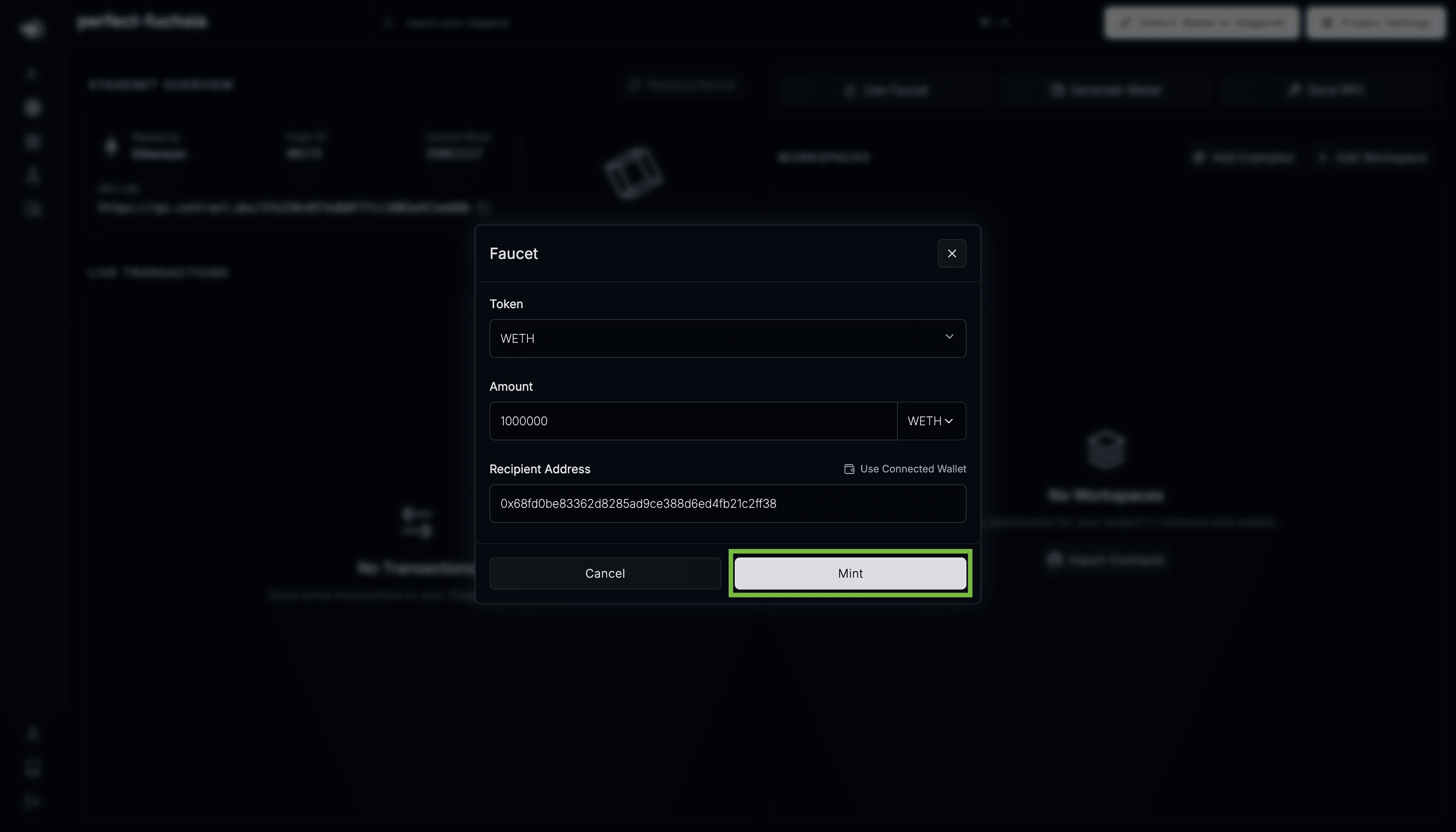
Select a native or ERC20 token, or enter a custom ERC20 address, then choose the recipient address.
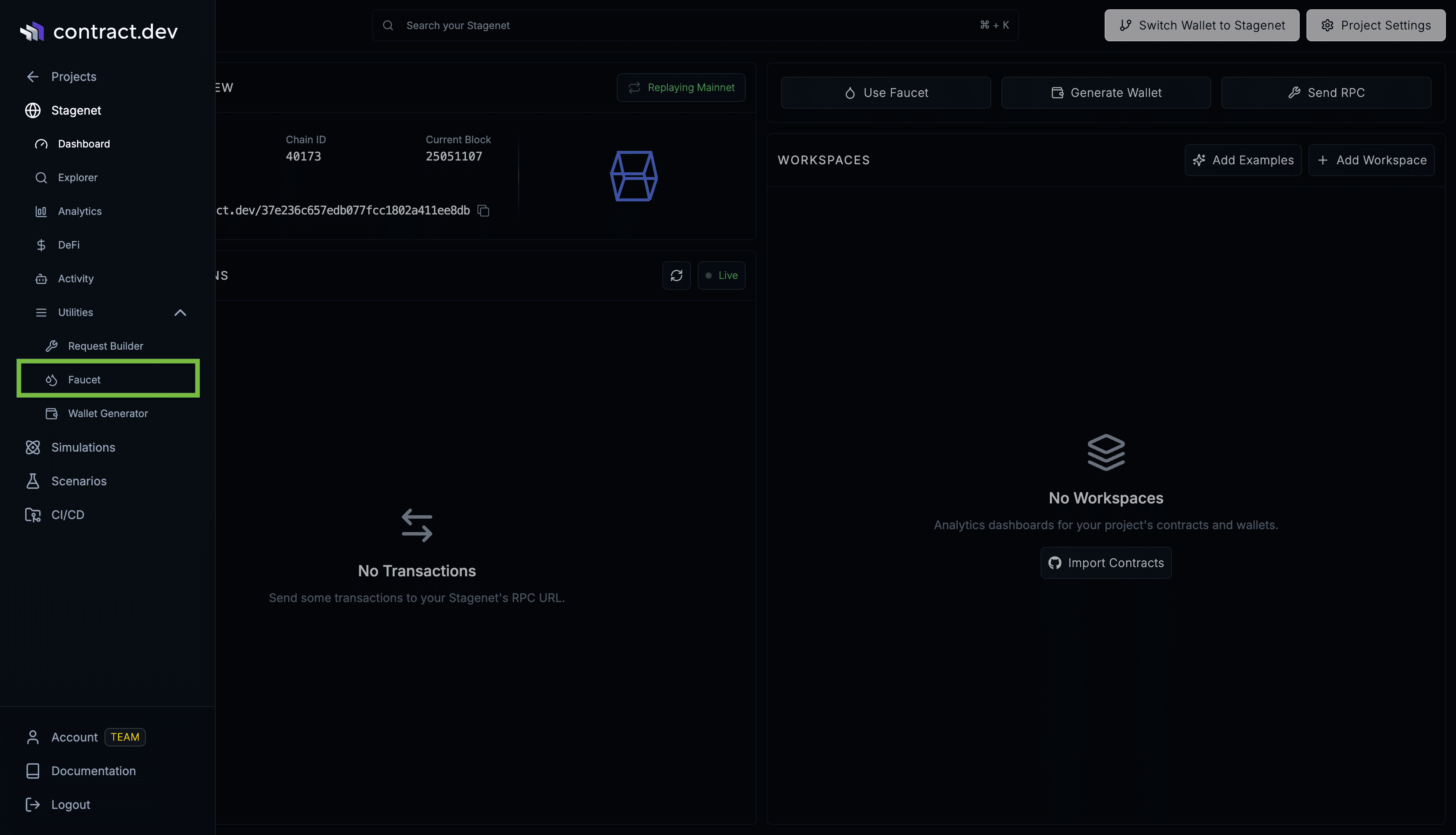
Then click Mint. This sends the tokens to the recipient via a transaction from the pre-funded Faucet Account. This means you’ll need to wait for that transaction to be mined before the funds become available to the recipient.
CLI
First install and configure the cli:
# Install the npm package into your project
npm install contract.dev

# Then create a contract.dev.js config
npx contract.dev init --rpc-url=<YOUR_STAGENET_RPC_URL>
Then mint native or ERC20 tokens to an address. Amounts are in wei (decimal or 0x-hex), or can carry a unit suffix:
# +100 USDC (6 decimals)
npx contract.dev erc20-balance add 0xRecipient \
  0xA0b86991c6218b36c1d19D4a2e9Eb0cE3606eB48 \
  100000000

# + 1000 WETH (18 decimals)
npx contract.dev erc20-balance add 0xRecipient \
  0xA0b86991c6218b36c1d19D4a2e9Eb0cE3606eB48 \
  "1000 ether"

# +1 native token (using unit)
npx contract.dev balance add 0xRecipient "1 ether"

# +1 wei of native token
npx contract.dev balance add 0xRecipient "1000000 wei"
SDK
Create a Stagenet instance using your Stagenet’s RPC URL:
import { createStagenet } from "contract.dev";

const stagenet = createStagenet("<YOUR_STAGENET_RPC_URL>");
Then use its funding methods:
const recipient = "0x1111111111111111111111111111111111111111";

// Add native token
await stagenet.addBalance(recipient, 10n ** 18n);

// Add ERC20 token

const usdc="0xA0b86991c6218b36c1d19D4a2e9Eb0cE3606eB48"

await stagenet.addERC20Balance(recipient, usdc, 1_000_000n);
Last updated on