Import contracts from GitHub
Connect a GitHub repository to your Stagenet so its contracts are compiled on every push. Once a contract is imported, deploying a matching contract to your Stagenet automatically activates its Workspace.
This is the recommended setup for teams — every push from anyone gets picked up, and you never have to remember to re-import.
Prerequisites
- A Hardhat or Foundry project on GitHub
- A deploy script or command to run against your Stagenet’s RPC URL
You do not need to change your contracts. The Stagenet reads your project’s standard compiled artifacts.
Install the GitHub App
Open your Stagenet’s Contracts dashboard from the sidebar, then click Install GitHub App.
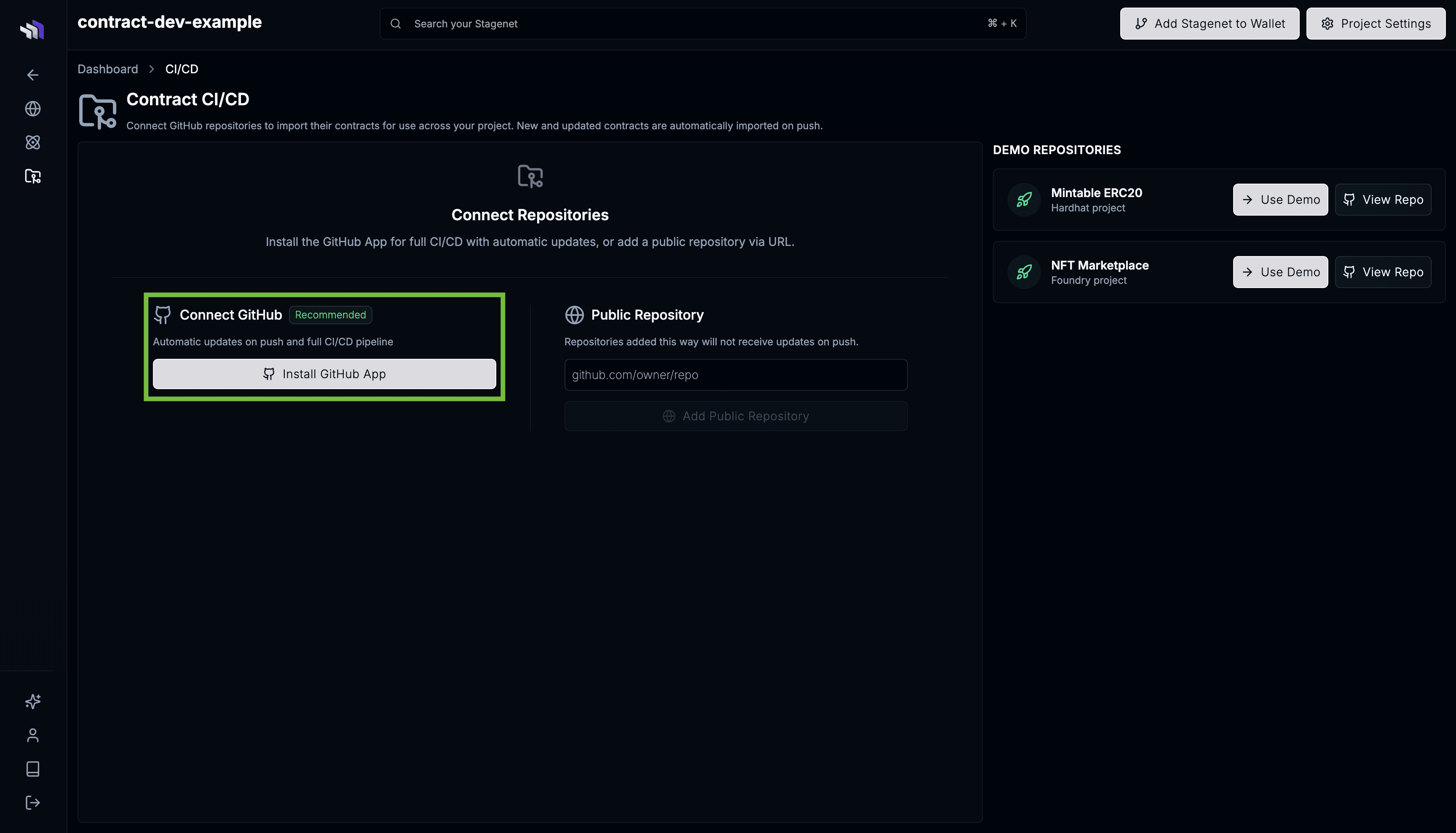
Follow the GitHub flow and grant the contract.dev GitHub App access to the repository containing your project.
When you’re redirected back to the Contracts dashboard, select your repository from the dropdown and click Add Repository.
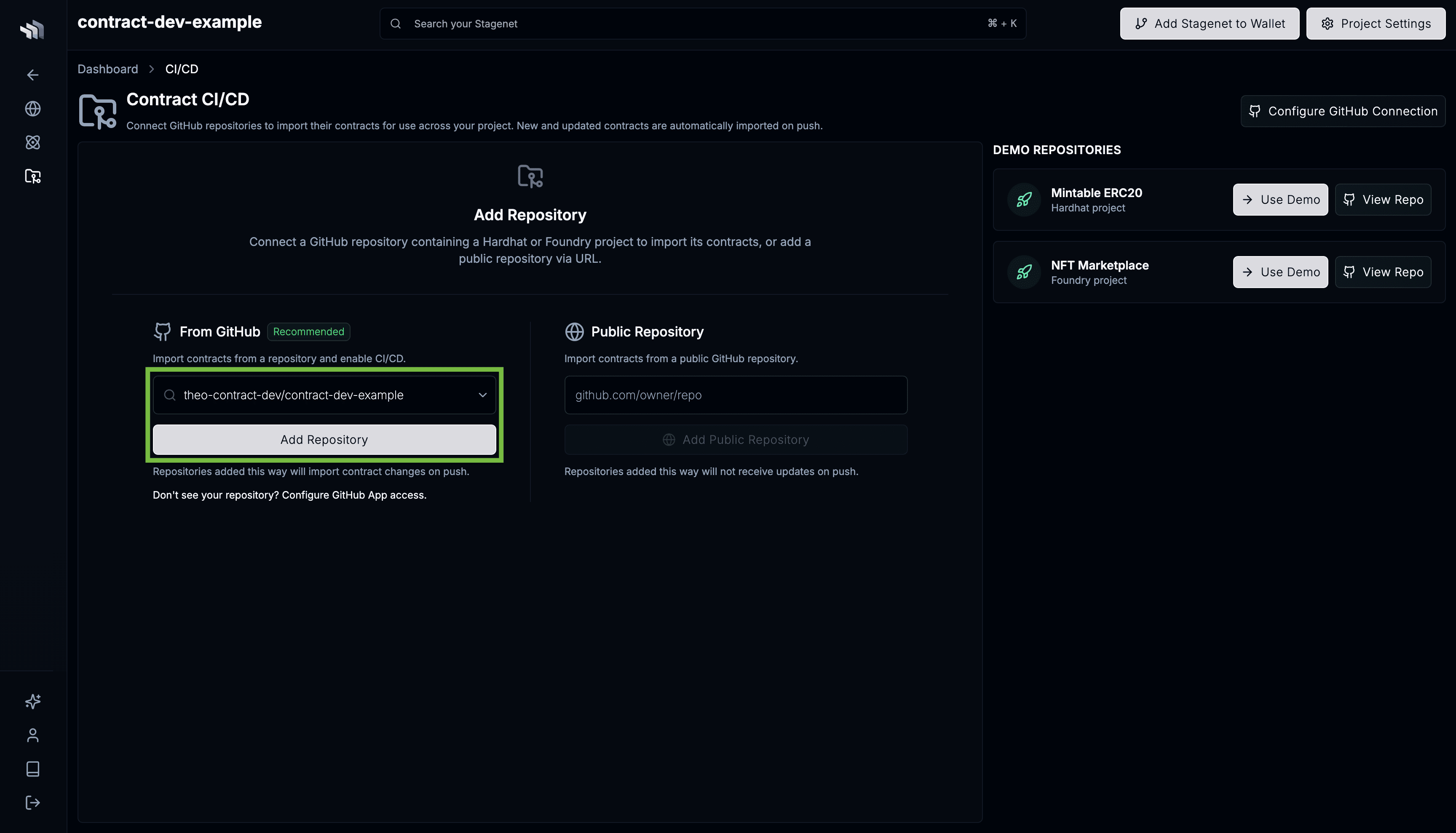
Confirm the Build Configuration
Next, confirm how the Stagenet should install dependencies and compile contracts.
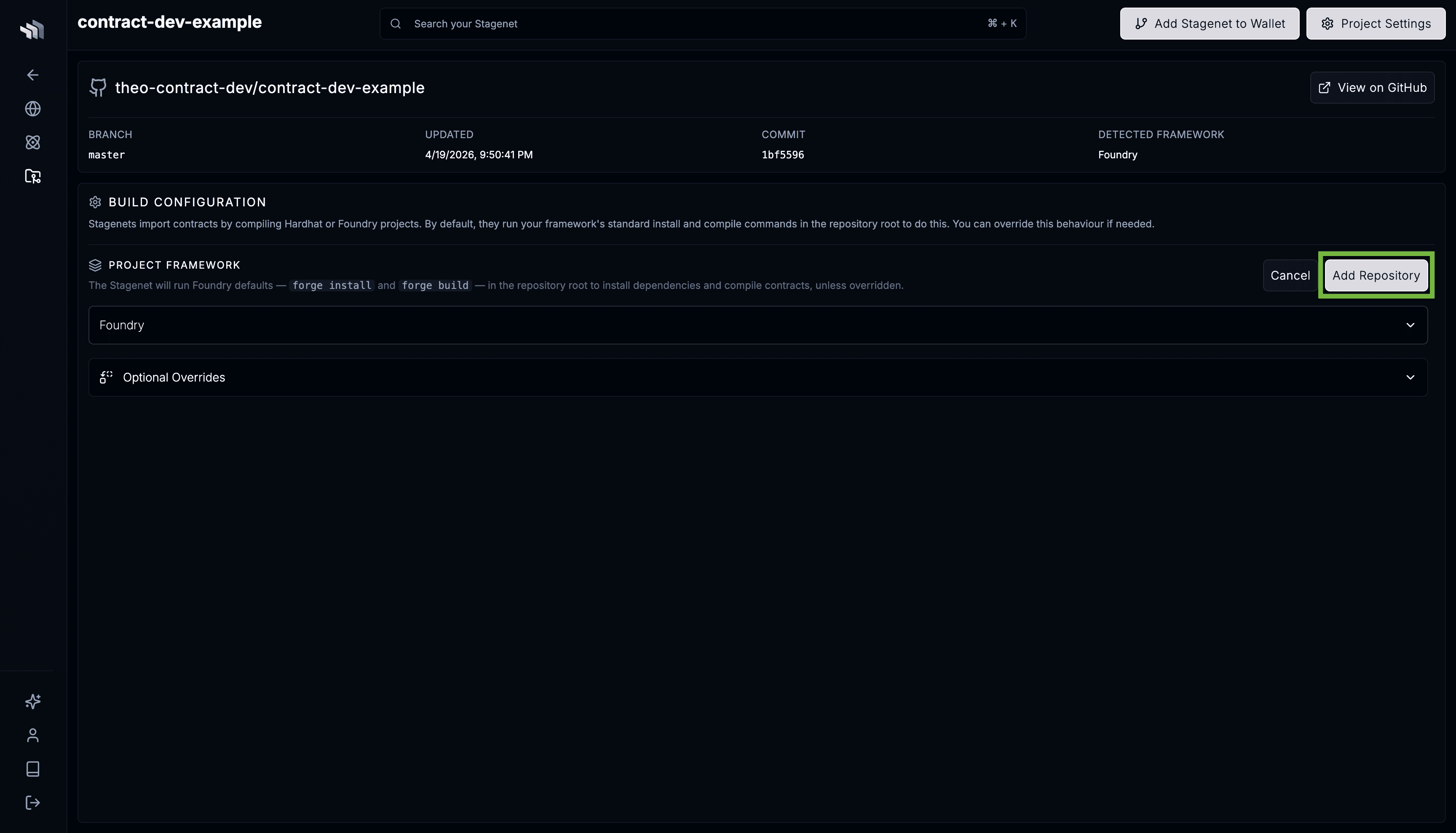
Standard Hardhat and Foundry projects work out of the box:
- Hardhat —
npm install+npx hardhat compile - Foundry —
forge install+forge build
If your project needs a custom install or compile command, env vars, or lives in a subdirectory of the repo, configure them here. See the Build Configuration documentation for details.
Initial compilation
Saving the Build Configuration kicks off an initial compilation against the repository’s default branch.
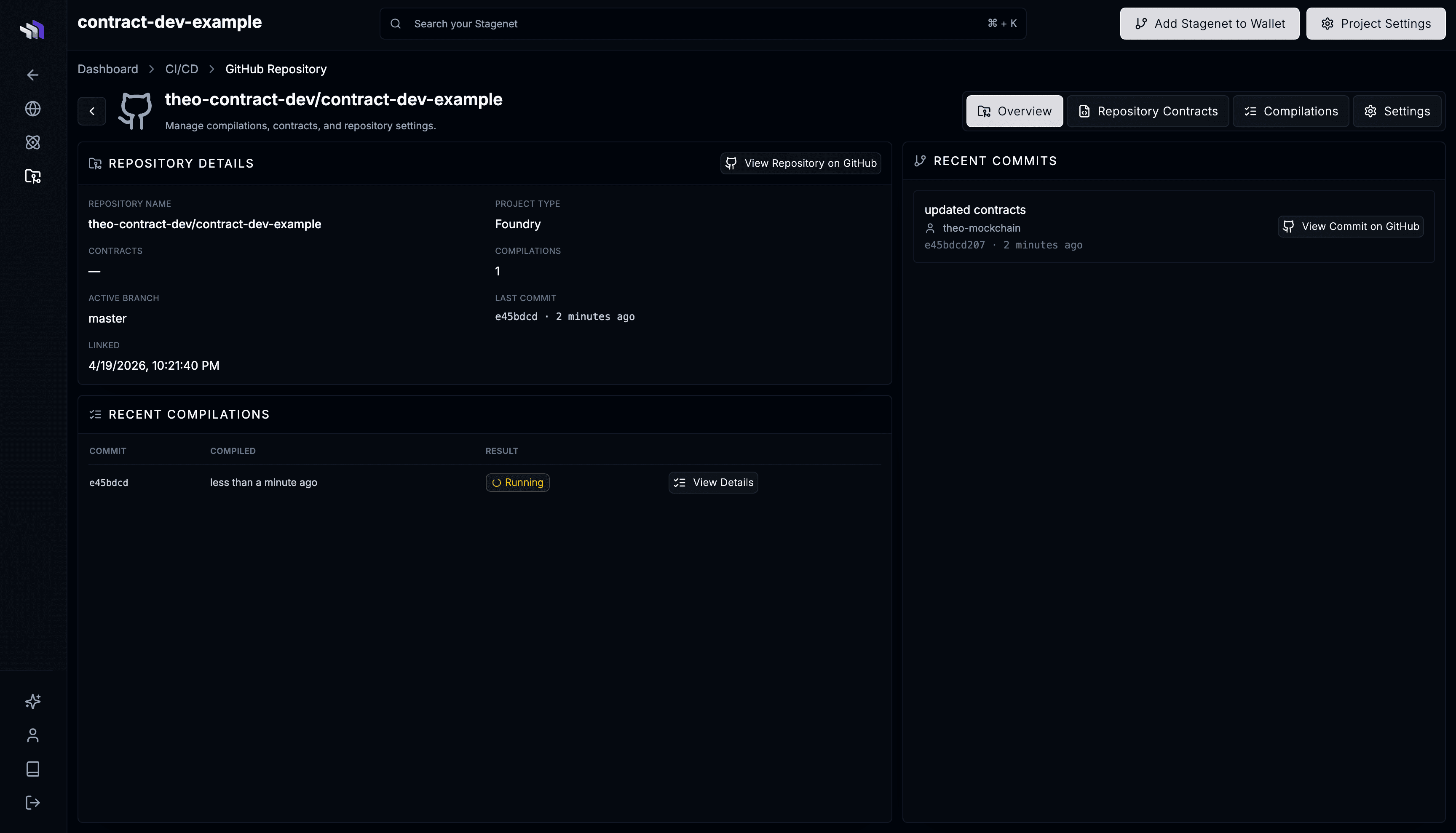
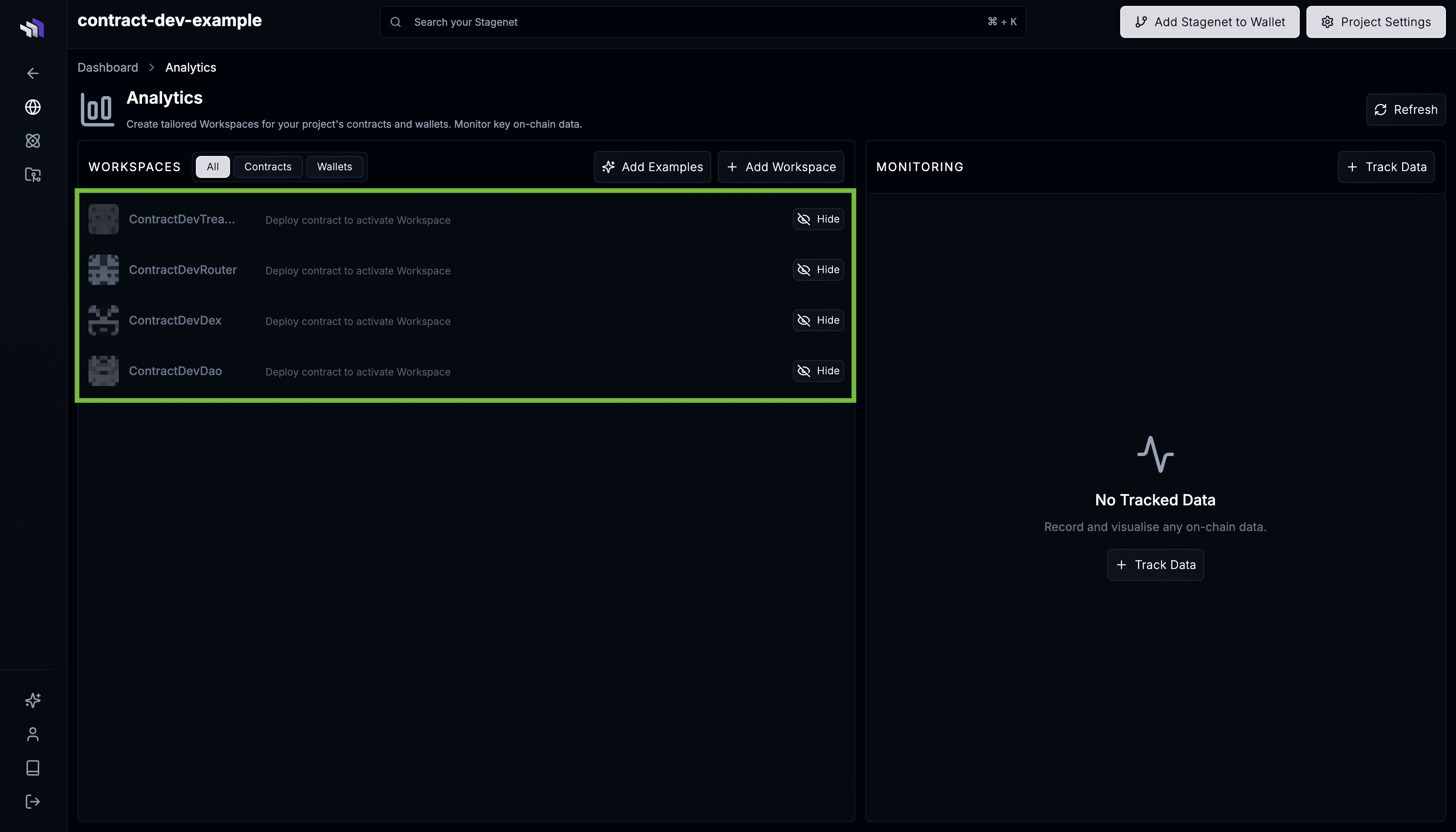
When it completes, your contracts appear in the Analytics dashboard as pending Workspaces. They activate the moment matching contracts are deployed to your Stagenet.
If the compilation fails, the captured logs are on the compilation page.
Deploy to your Stagenet
Deploy your contracts using your existing workflow, pointed at your Stagenet’s RPC URL. When a deployed contract’s bytecode matches one imported from GitHub, the Stagenet activates its Workspace automatically.
Framework-specific guides:
Use the Wallet Generator for a funded deployer wallet, or the Faucet to fund an existing address.
Iterating
Every push to the connected branch triggers a fresh compilation. The Stagenet versions each imported contract by bytecode:
- A whitespace- or comment-only change produces identical bytecode and no new contract version.
- A logic change produces a new version, appended to the existing contract.
This leads to the following contract versioning model:
Imported Contract
  └─ Version
       └─ Deployment
See Imported Contracts for the full details.