Application Map
The Application Map gives you a live view of the contracts that make up your application.
It shows where your contracts are deployed, the value held by them, their activity, and the value flowing between them.
You can find the map on your workspace Overview.
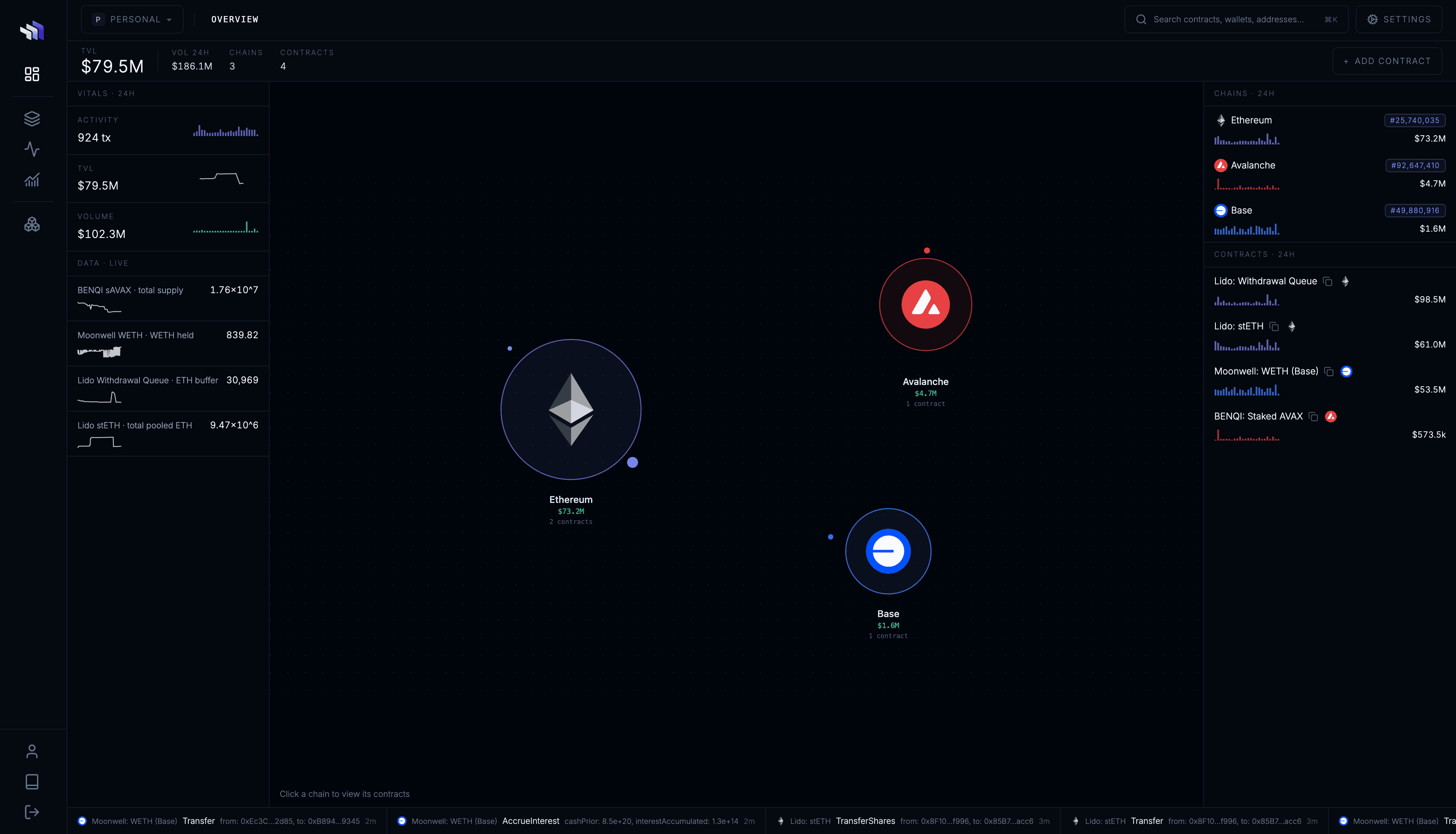
Across your application
If your application runs across multiple chains, the map starts with a view of each chain you have watched contracts on.
Each chain shows the total value held by your watched contracts and the contracts that make up your application on that chain.
Click a chain to inspect it in more detail.
On a chain
The chain view maps your watched contracts and the value flowing between them and other on-chain accounts.
Contracts are sized by the value they hold. Connections between accounts show the value transferred over the selected period.
Unwatched counterparties can also appear on the map, making it easy to see where value is coming from and where it is going.
Click any watched contract to open its Contract Dashboard.
Metrics
The Overview also shows aggregate metrics for your watched contracts, including:
- TVL
- transaction activity
- transfer volume
- tracked on-chain data
Use the metric and time-range controls to change the data shown across the Overview.
Watch contracts
Click Watch Contract to start watching another deployed contract.
Once watched, the contract becomes part of your application and appears throughout Contract Observability, including the Application Map, Console, Activity, and contract dashboards.