Track on-chain data
Data lets you record application-specific on-chain values and analyse how they change over time.
Track values such as balances, supply, prices, fees, yield, or any other numeric value exposed by your contracts.
Each tracked value becomes a metric with its own history and graph.
What you can track
contract.dev can track:
- Native balance — the native token balance of a contract
- ERC20 balance — the contract’s balance of a specific token
- Function call — a numeric value returned by a view function
For example, you could track:
- the total assets in a vault
- current yield
- token supply
- protocol fees
- a contract’s ETH balance
- a treasury’s USDC balance
Track data
Open Data and click Track Data.
Choose the contract and chain, then select the data you want to record.
For function calls, contract.dev loads the contract’s verified ABI and lets you select a compatible view function and provide any required arguments.
Click Start tracking to create the metric.
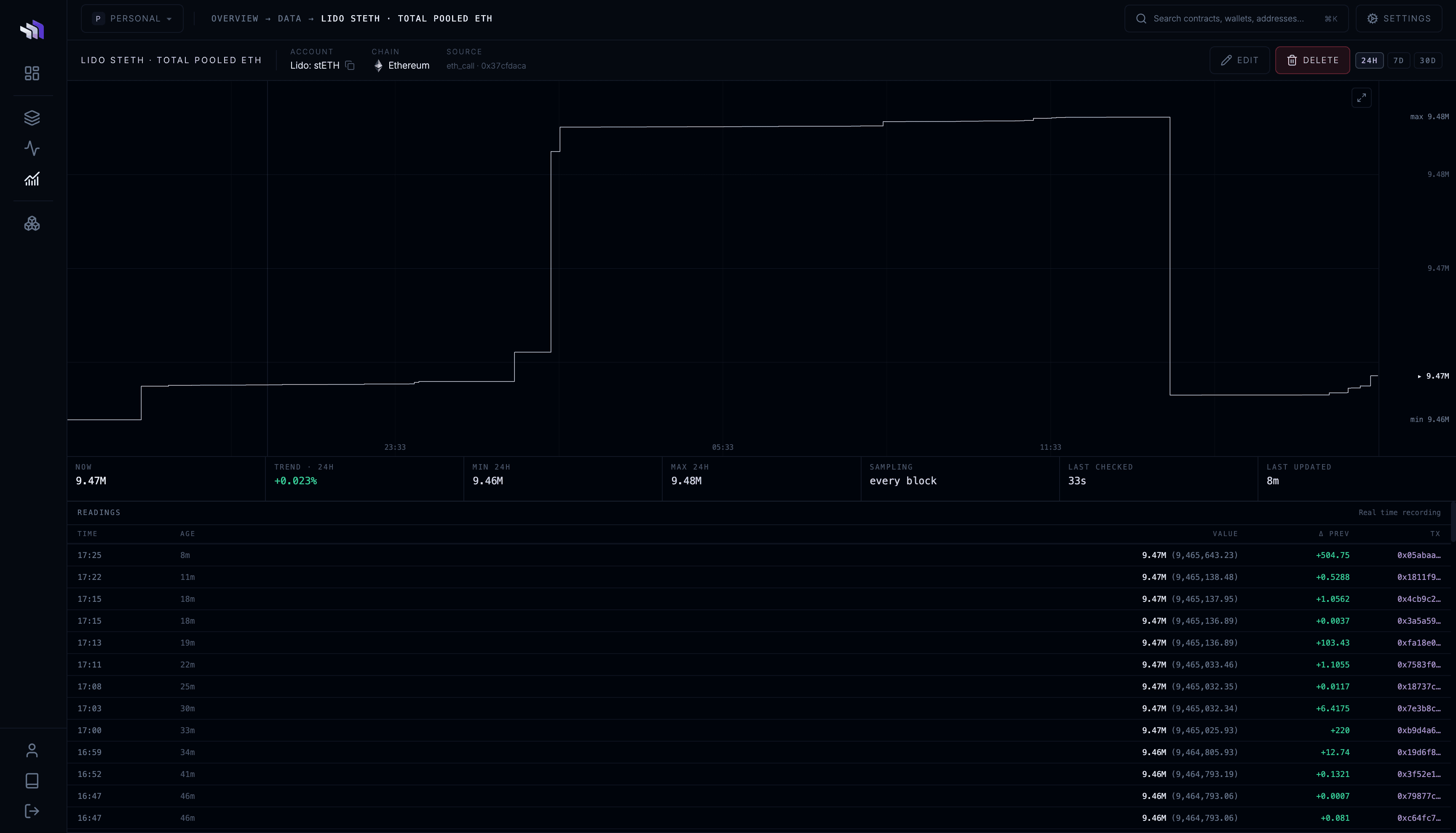
Metric history
Open any tracked metric to see how its value has changed over time.
The metric page shows:
- current value
- historical graph
- trend
- minimum and maximum values
- recorded changes
- when the value was last checked and updated
Where transaction attribution is available, recorded changes are linked to the transaction that caused them.
This lets you move from seeing what changed to inspecting why it changed.
Manage tracked data
All tracked metrics are listed on the Data page with their current value and recent change.
Click a metric to open its history.
You can rename or untrack a metric at any time.