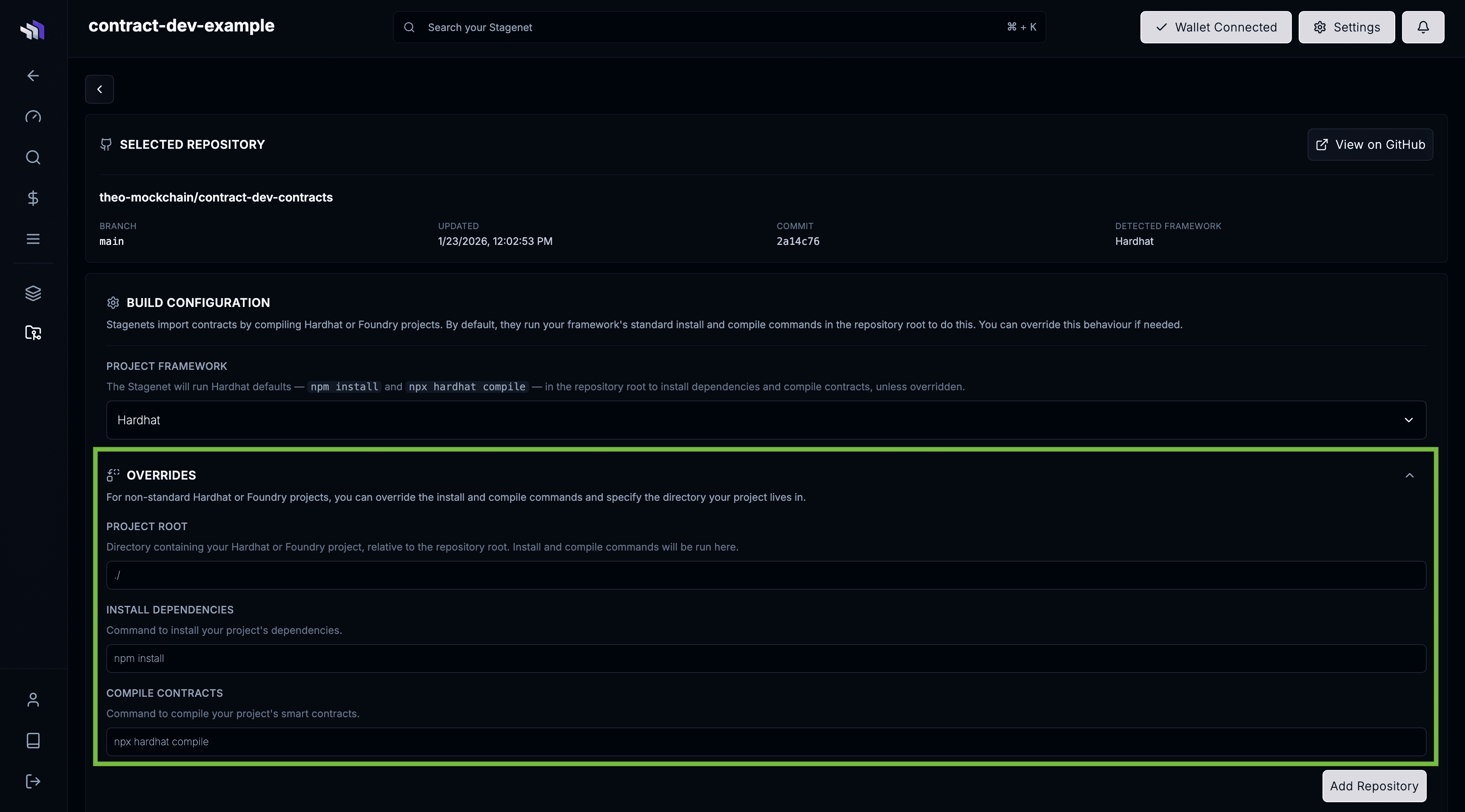
Build Configuration
When you import a repository, the Stagenet needs to install its dependencies and compile its contracts.
This behaviour is defined by the repository’s Build Configuration, which you set when linking it.
Standard builds
Standard Hardhat and Foundry projects work out-of-the-box with no configuration required.
The Stagenet automatically detects your framework by looking for a hardhat.config or foundry.toml file in the repository root.
Based on what it finds, it will run the following commands in the repository’s root directory:
| Project Framework | Install Command | Compile Command |
|---|---|---|
| Hardhat projects | npm install | npx hardhat compile |
| Foundry projects | forge install | forge build |
If your repository uses both Hardhat and Foundry, you can choose which framework’s commands to use for building via the Project Framework dropdown in the Build Configuration.
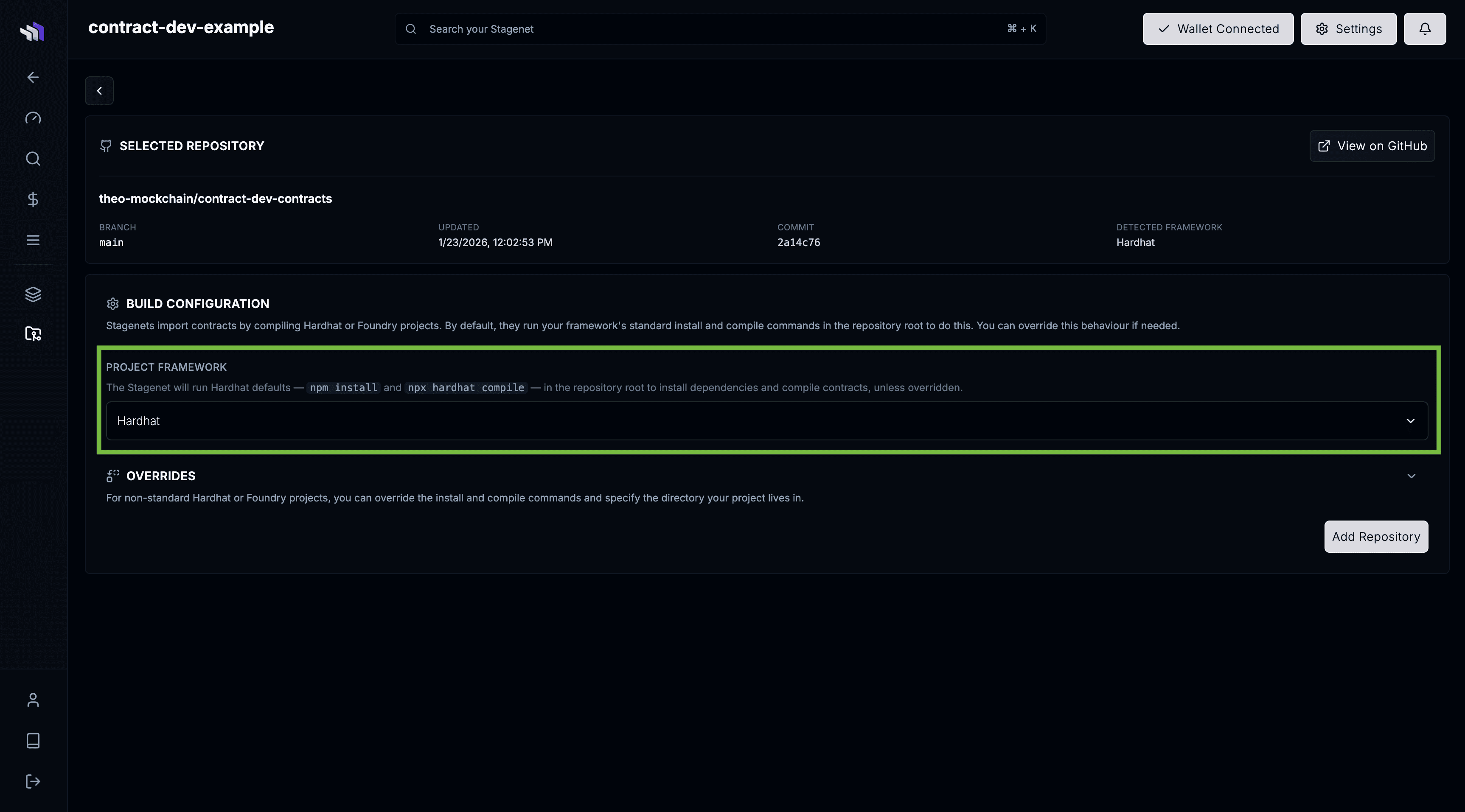
Overrides
For non-standard setups — such as monorepos, custom layouts, or alternative toolchains — you can customise how the Stagenet installs and compiles your contracts using Overrides.
Project root
Specify the directory containing your Hardhat or Foundry project, relative to the repository root. Install and build commands will be run in this directory.
Use this when your project isn’t located at the top level — for example, a Hardhat project in ./smart-contracts.
Install dependencies
Override the command used to install your project’s dependencies.
To illustrate, if you had a Foundry project that used both npm packages and Forge dependencies (git submodules), you would set your install dependencies override to npm install && forge install.
Compile contracts
Override the command used to compile your contracts.
All override commands run inside a Bash shell with Node.js, npm/yarn/pnpm, Hardhat, Foundry, and git available.