Repositories
You can link any Hardhat or Foundry GitHub repository to your Stagenet. This automatically imports its smart contracts and creates dedicated Contract Workspaces with rich analytics, versioning, and deployment tracking.
When a repository is linked:
- A Contract Workspace is created for each smart contract in the repository.
- As changes are commited to the repository, Contract Versions are created within the Workspace.
- When Contract Versions are deployed on the Stagenet, they are tracked as Contract Deployments within the Workspace.
This flow forms the basis of the Stagenet’s contract versioning system.
Follow this tutorial to connect a repository to your Stagenet.
Repository management
All repositories linked to your Stagenet appear on the CI/CD dashboard, accessible by clicking CI/CD in the sidebar. This view also shows the most recent commits imported from each repo.
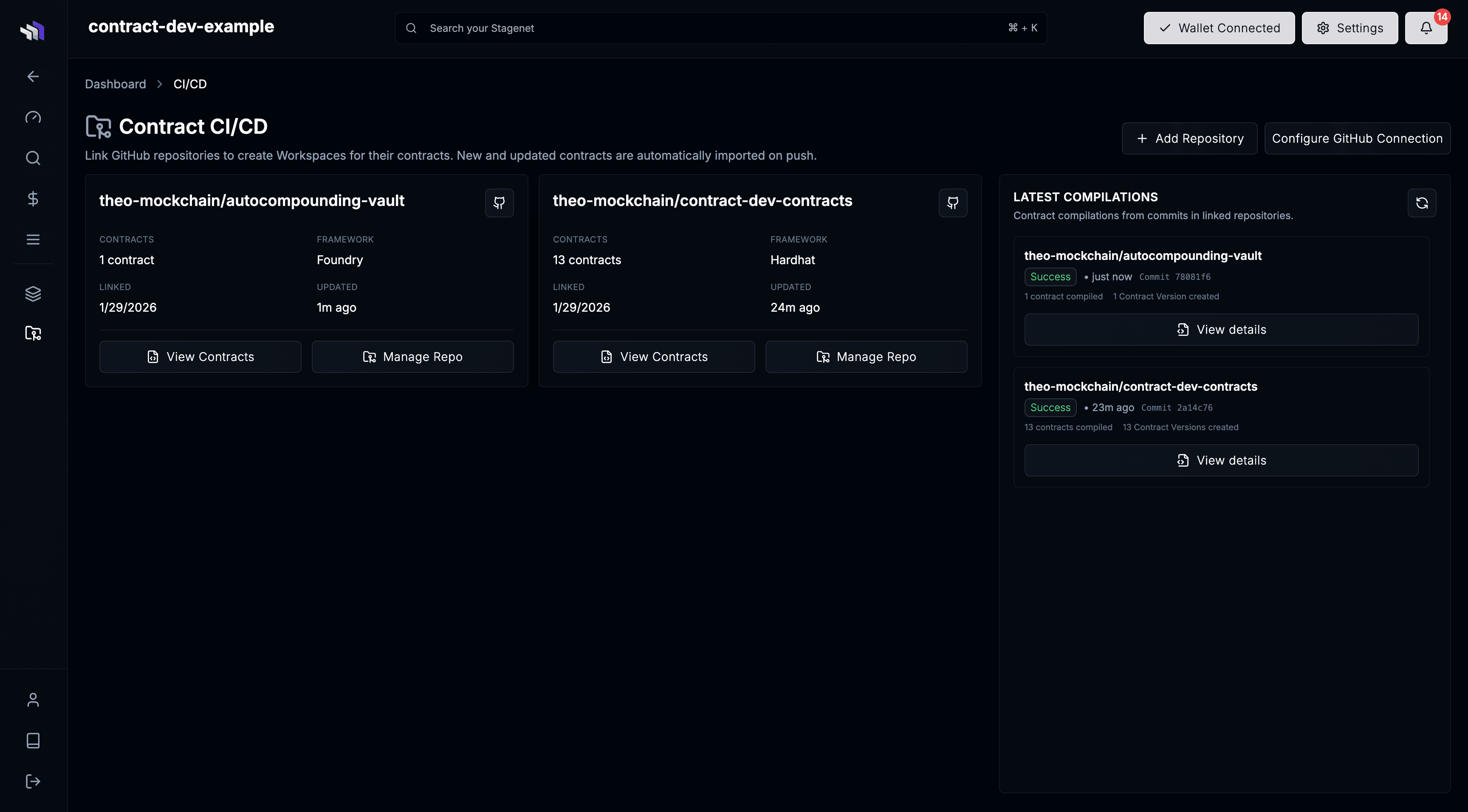
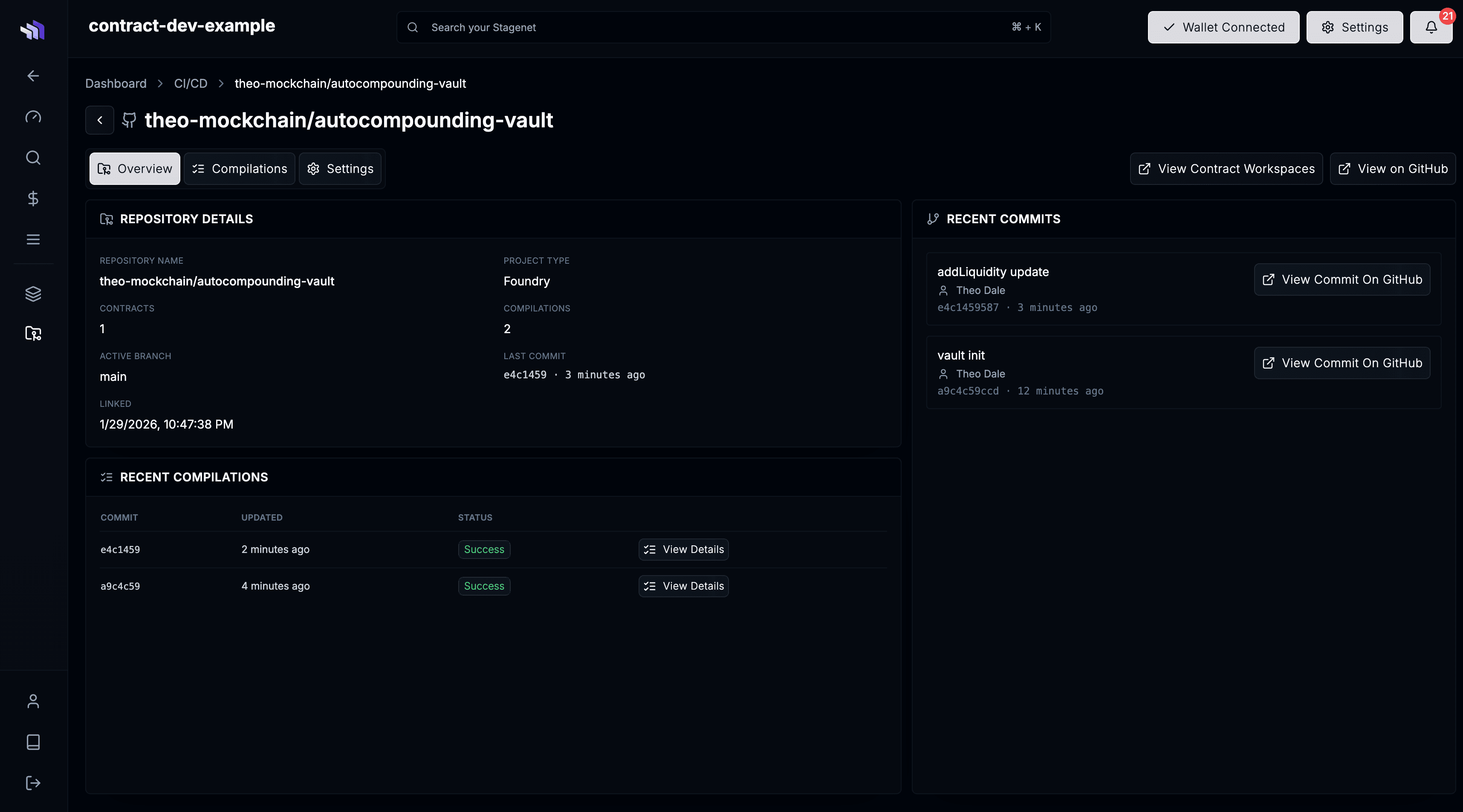
Selecting Manage Repo on any tile opens the repository’s dedicated dashboard. Here you can see repo details, recent compilations, imported commits, and update the Build Configuration in the settings.
Commits & Compilations
Linked repositories are monitored continuously for new commits.
Each commit triggers a Compilation Run, which compiles your contracts and creates a new Contract Version when the bytecode changes.
You can open any Compilation Run by clicking View Details on its row in the repository dashboard.
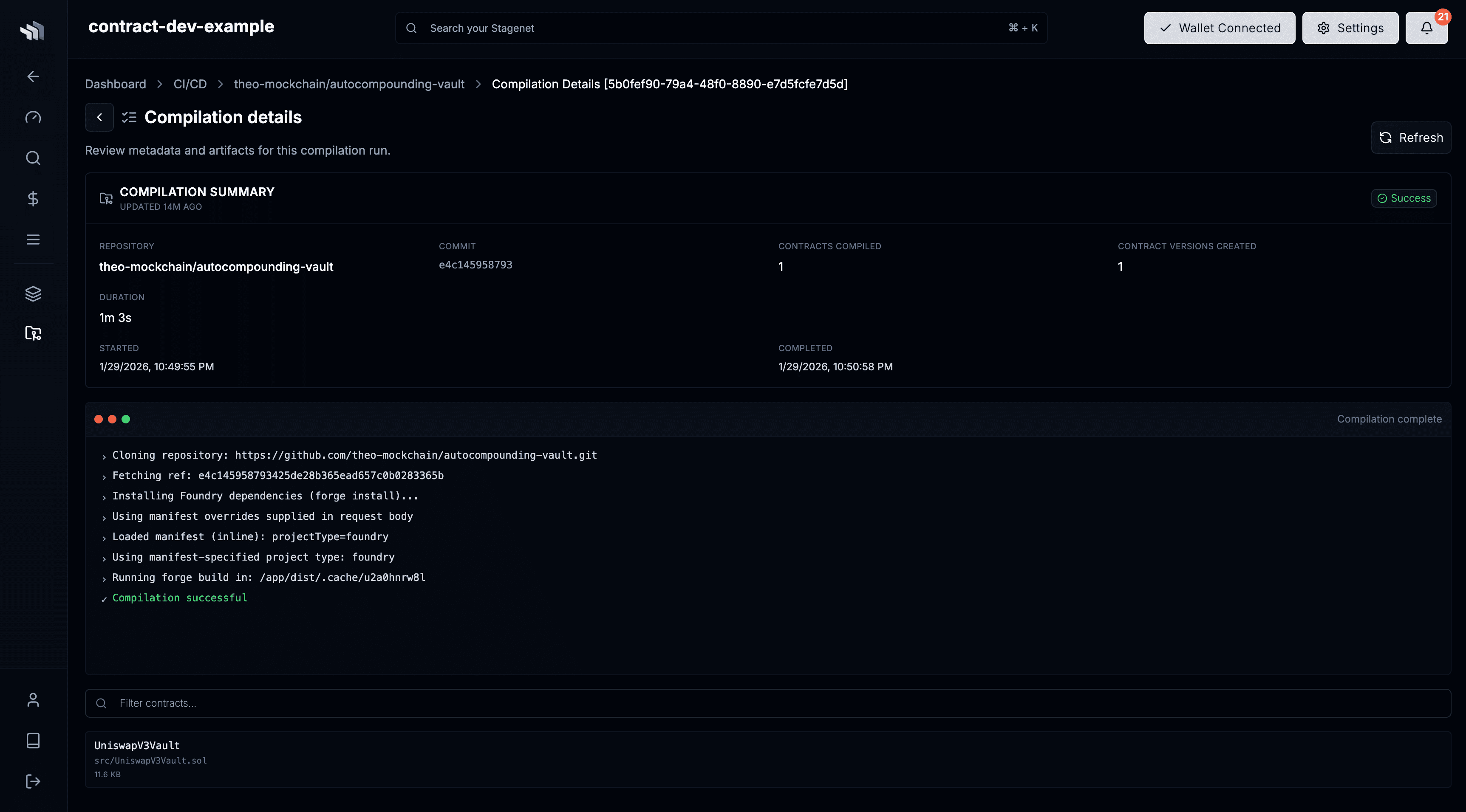
Compilation Runs are triggered when:
- A repository is first linked (the latest commit is compiled)
- New commits land on the default branch
Changes to a contract’s bytecode during a compilation run create a new Contract Version in its Workspace. If a new contract is detected, a new Workspace is created for it.