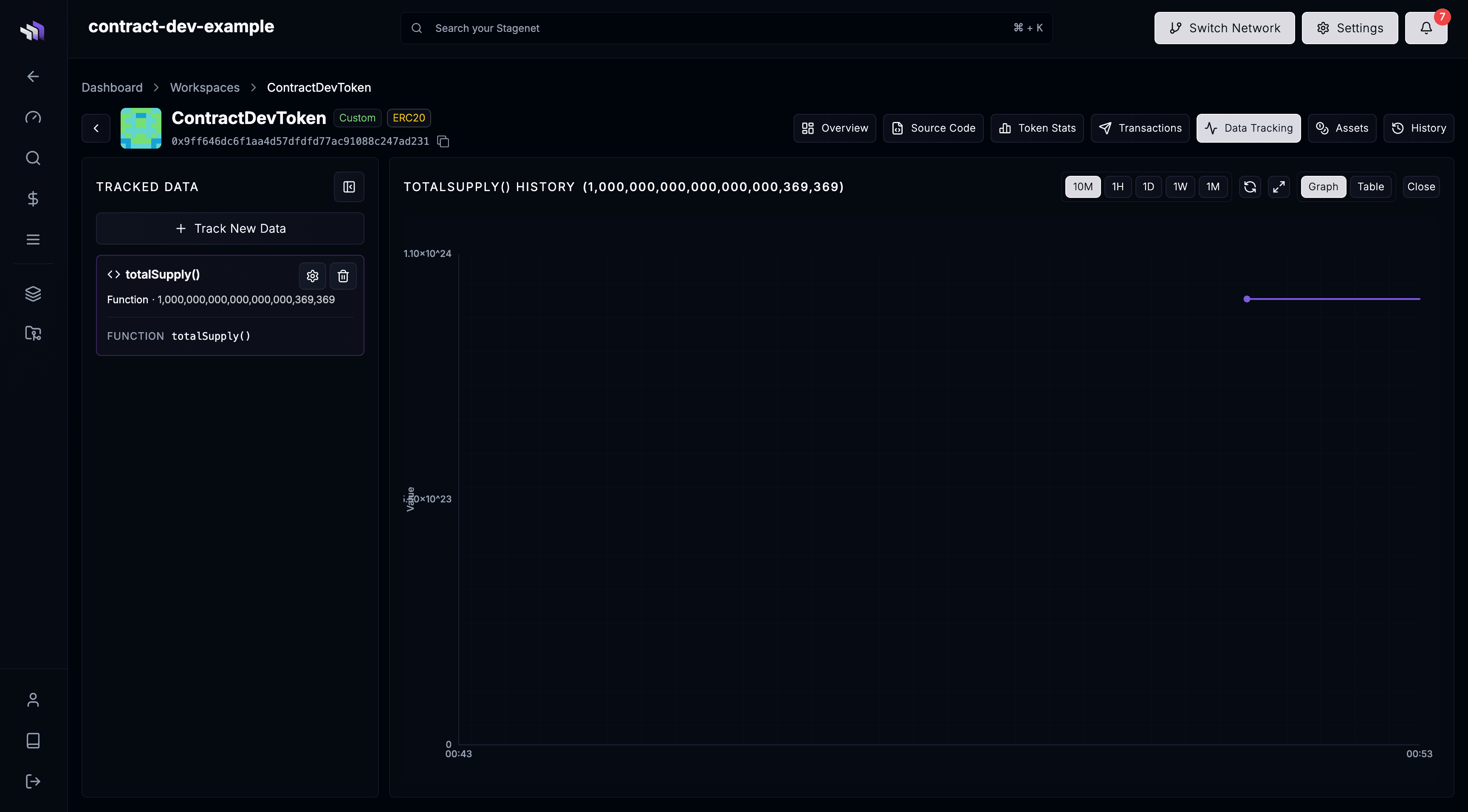
Data Tracking View
The Data Tracking View lets you record and visualise key pieces of contract data as your Stagenet advances block by block.
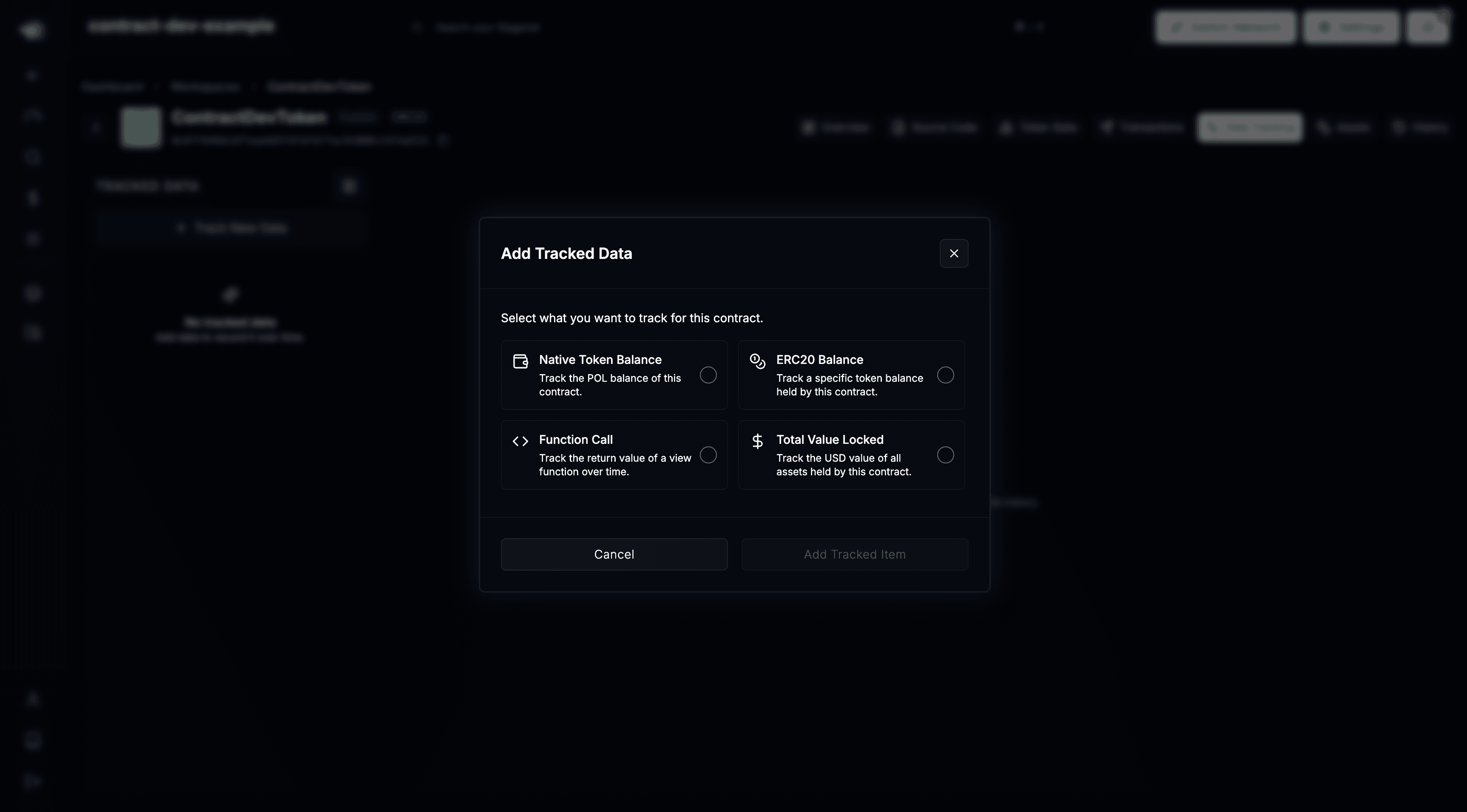
You can track:
- Any integer (
uintorint) returned by a view or pure function - The contract’s native token balance
- ERC-20 token balances owned by the contract
- Total USD value locked (contributed to by Project Tokens)
As the Stagenet runs, these values are captured automatically and displayed in charts and tables. This gives you a clear picture of how a contract’s data evolves over time, helping you understand its behaviour in production-like conditions.
For example, if you’re building a vault, you might track:
- totalAssets() to see value growth
- sharePrice() to validate economic performance
- token balances to confirm accounting is correct
How to track contract data
To start tracking data, you’ll need a Contract Workspace for the contract you want to monitor. If you haven’t created one yet, follow this guide:
Once your Workspace exists, open it in the Workspaces dashboard, then open its Data Tracking View:

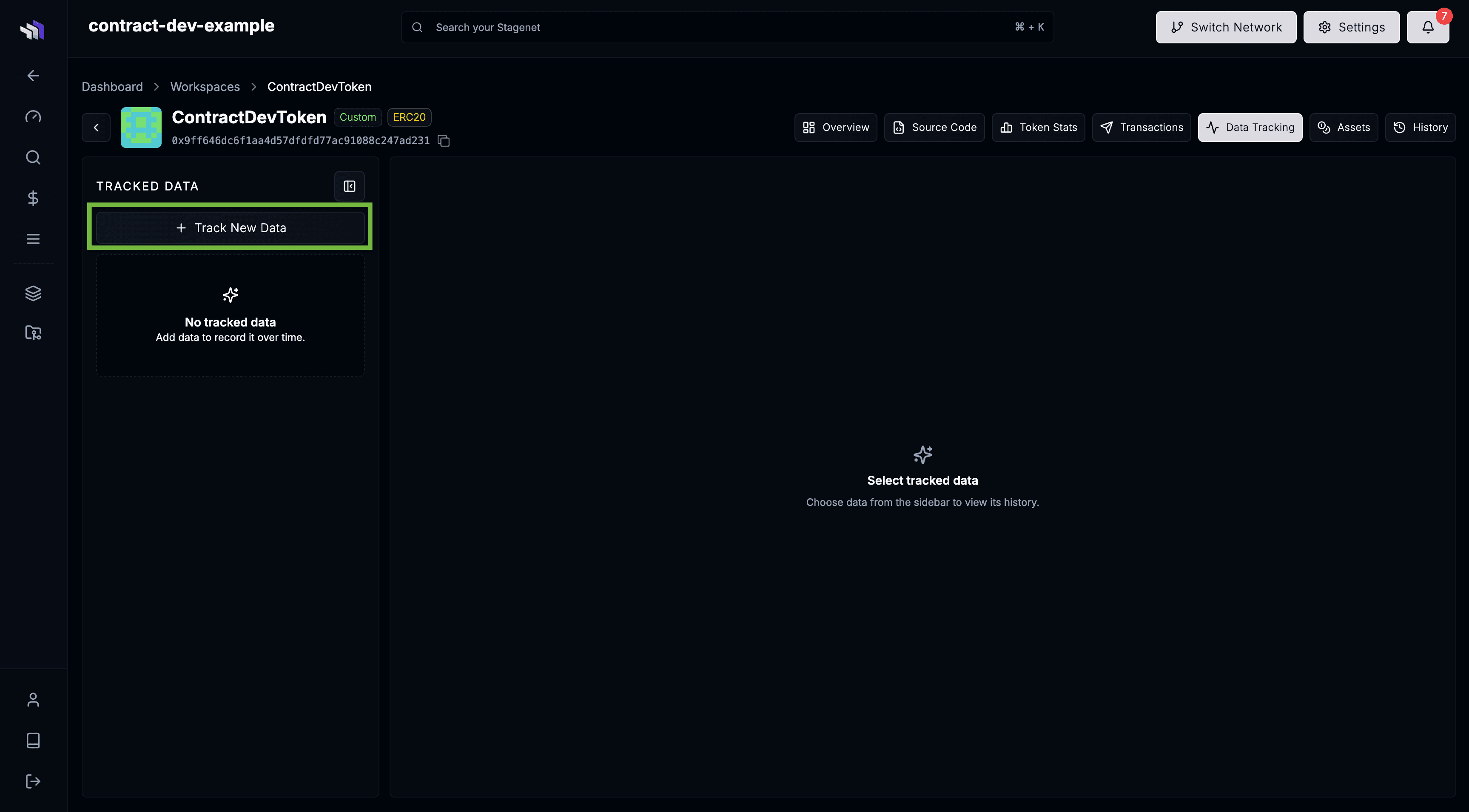
This page shows all tracked values for the contract. To add new tracked data, open the collapsible sidebar and click Track New Data.
Choose the value you want to track from the modal. Any permissible value — functions, balances, or TVL — can be selected.
Once added, the Stagenet begins recording it automatically. Values are captured whenever they change and are visualised in real-time on the Data Tracking graph. After adding a value, wait for the next mined block to see your first data point.